Best Vertical Mice That Work Across Windows, Mac, and Linux
If you split your time between a Windows desktop, a Mac laptop, and a Linux box, you need a mouse that doesn't depend on OS-specific software to work correctly. A vertical mouse solves wrist strain, but not every vertical mouse treats every operating system the same way — side buttons and DPI switching often break on macOS or Linux even when the core click-and-scroll works fine everywhere.
What separates these picks is how the connection is made and whether the listing actually names Linux, versus just Windows and Mac. A basic 2.4GHz USB receiver or plain Bluetooth pairing tends to work as a generic input device on any OS. Extra buttons routed through vendor software are the part that gets shaky outside Windows.
This list favors mice with wide, driver-free compatibility and calls out where a manufacturer explicitly lists Linux versus where it doesn't, so you know what you're relying on rather than assuming.
We may earn a commission at no extra cost to you.

UGREEN Vertical Mouse, Wireless Bluetooth Ergonomic Mouse, Dual-Mode (BT 5.4 & USB 2.4G), Quiet Clicks, 4 Adjustable DPI (1000/1600/2000/4000), Compatible with Windows/Mac/Linux/Android/ChromeOS
This is the only vertical mouse in the pool whose listing explicitly names Windows, Mac, Linux, Android, and ChromeOS together, which matters if you need documented Linux support rather than an assumption based on generic Bluetooth or USB behavior.
- +Vertical grip reduces wrist rotation for long sessions
- +Dual Bluetooth and 2.4G connection, switches across 3 devices
- +4 DPI levels from 1000 to 4000 for different tasks
- −Runs on a single AA battery, not a rechargeable cell
- −No wired mode or listed polling rate for gaming use

Logitech Mouse MX Vertical, 910-005448
With over 13,700 ratings and a stated 57-degree vertical grip, this is the most proven option for anyone prioritizing long-term wrist comfort; Mac and Windows are explicitly listed, and its Bluetooth/USB receiver/RF modes are the standard connection types that tend to behave consistently on Linux for core functions.
- +Vertical, adjustable angle designed to reduce wrist strain
- +Connects via Bluetooth, USB receiver, or RF
- +Rated 4.6/5 across over 13,700 Amazon ratings
- −Vertical shape is a change from standard mouse grips
- −No DPI or button count listed in the specs
Logitech Lift Vertical Ergonomic Mouse
For smaller hands specifically, this pairs to up to three devices via Bluetooth or Logi Bolt and runs two years on a single AA, which suits someone bouncing a vertical mouse between multiple machines without recharging or re-pairing constantly.
- +Excellent ergonomic comfort for small-to-medium hands
- +Nearly silent clicks
- +Pairs with up to 3 devices (Bluetooth + Logi Bolt)
- −Not ideal for large hands (get the MX Vertical instead)
- −No rechargeable battery
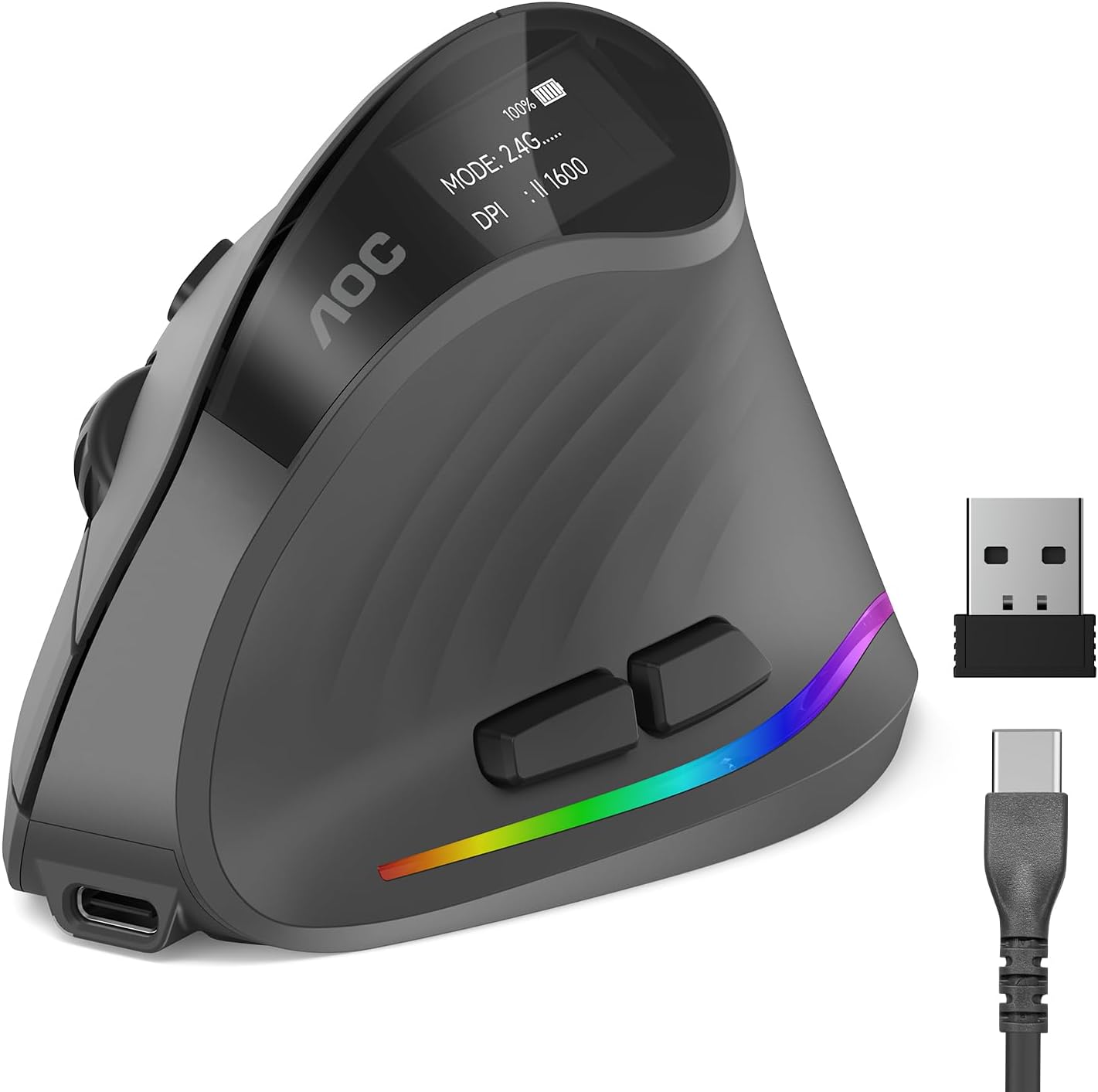
AOC Ergonomic Mouse, 2.4GHz Wireless Bluetooth Vertical Mouse, Rechargeable
Because it offers wired USB in addition to Bluetooth and 2.4GHz, this is a good pick if you want a guaranteed driver-free connection mode for a Linux machine where wireless HID quirks are a concern, while still getting wireless flexibility elsewhere.
- +52° vertical grip reduces wrist twisting over long sessions
- +Five DPI levels from 1000 to 4800 for flexible precision
- +Up to 200 hours battery life with RGB off
- −RGB use cuts battery life down to about 40 hours
- −Only left and right clicks are quiet, not all buttons

Lekvey Ergonomic Mouse, Rechargeable Vertical Wireless Mouse, Comfort Grip
Built for medium to large hands with a handshake grip and rated for over 150 hours per charge, this suits anyone who found the smaller vertical mice on this list too cramped, and its plug-and-play RF receiver avoids OS-specific driver installs.
- +Handshake grip design aimed at reducing wrist strain
- +Rated for over 150 hours per charge
- +Three DPI levels for adjustable sensitivity
- −Sized for medium to large hands only
- −Reported adjustment period of three to five days

TECKNET Ergonomic Mouse, Wireless Bluetooth Vertical Mouse, 4800 DPI Optical Tracking, 6 Adjustable DPI, Quiet Clicks, 2.4GHz with USB A Receiver, 12 Months Battery, 6 Buttons, Wide Compatibility
At a lower price point than the Logitech options, this offers six DPI levels and dual Bluetooth/2.4GHz switching for basic cross-device use, though buyers should expect the side buttons to be Windows-only rather than assume full macOS or Linux support.
- +Vertical grip angle designed to ease wrist strain
- +Six DPI levels from 800 to 4800
- +Bluetooth and 2.4GHz modes, two-device Bluetooth pairing
- −Right-handed shape only, no left-hand option
- −Side buttons don't work on macOS

Ergonomic Vertical Wireless Mouse, 57° Natural Handshake for Wrist Pain Relief, Rechargeable 2.4G USB Computer Mouse, Quiet Click, 800/1200/1600 DPI, for Laptop PC Mac, Small/Medium Hands (Black)
At 86g with USB-C recharging instead of AA batteries, this is the lightest option here for anyone with smaller hands who wants a minimal, travel-friendly vertical mouse rather than a full desktop-sized one.
- +Vertical 57-degree design aimed at reducing wrist strain
- +Lightweight at 86g for smaller hands
- +USB-C rechargeable, no AA batteries needed
- −Sized for small/medium hands only, not larger grips
- −Only three fixed DPI steps, no fine-tuning
What to look for
The spec that actually matters here isn't DPI or button count — it's connection type and where the button logic lives. A mouse using a plain 2.4GHz USB receiver or standard Bluetooth HID pairing will register basic clicks, scroll, and movement on Windows, macOS, and Linux without installing anything, because that's baseline USB/Bluetooth mouse behavior. Where compatibility breaks down is extra functionality: DPI-cycle buttons, side buttons, and macro keys that route through a companion app. Several mice in this space state plainly that side buttons don't work on macOS, which is a strong signal Linux support for those same buttons is untested or absent, even if it's not mentioned.
Hand size is the second real variable. Vertical mice are molded to a fixed grip angle and size, so a mouse built for small-to-medium hands will feel cramped for larger hands and vice versa. Check the stated hand-size guidance before anything else — comfort is the entire point of buying vertical in the first place, and a wrong-size fit undoes the ergonomic benefit regardless of OS support.
This guide is compiled from manufacturer specifications and aggregated customer feedback on Amazon, with AI assistance in drafting. We have not personally tested every product listed. Prices and availability change frequently — always confirm on Amazon before buying.