Apple Magic Mouse - White Multi-Touch Surface : Is It Worth Buying?
Rating shown is the Amazon customer average, not our own score.
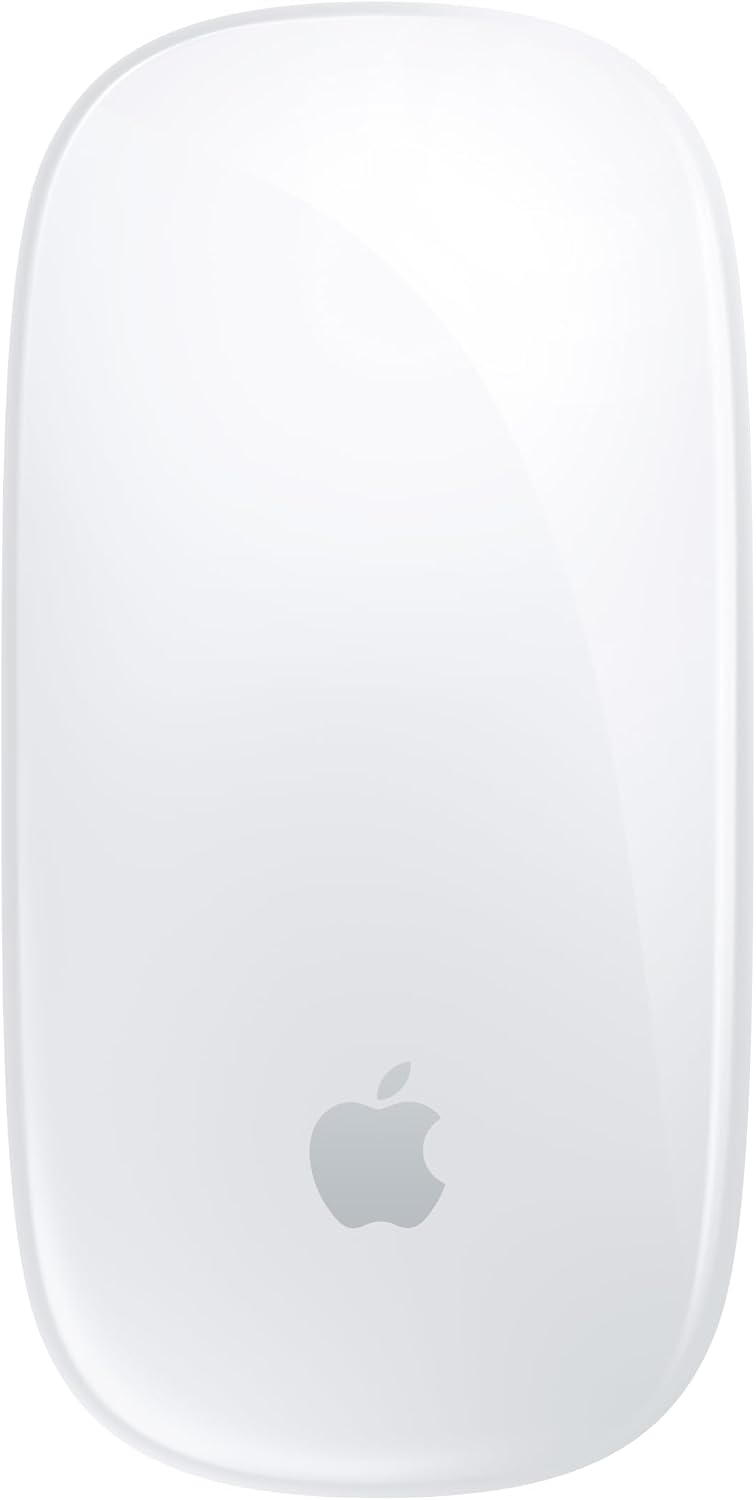
Apple's Magic Mouse is a wireless, rechargeable Bluetooth mouse with a Multi-Touch top surface for swiping and scrolling. It suits Mac users who want a minimal mouse that pairs automatically and supports simple gestures.
Check the current price on Amazon
We may earn a commission at no extra cost to you.
What stands out
- Multi-Touch surface for swiping and scrolling gestures
- Rechargeable battery rated about a month per charge
- Pairs automatically with a Mac out of the box
- Woven USB-C cable included for charging and pairing
- Lightweight and portable for travel
- Holds a 4.4/5 average across 3,748 Amazon ratings
Trade-offs to know
- Built around Mac; other platforms not covered by Apple
- No physical scroll wheel or extra buttons listed
- Bluetooth only; no USB receiver mentioned
- Built-in battery means plugging in when it runs low
Key Specifications
| Brand | Apple |
|---|---|
| Color | White |
| Connectivity Technology | Bluetooth |
| Special Feature | Lightweight, Portable, Rechargeable, Touch Scroll, Wireless |
| Movement Detection Technology | Optical |
| Connectivity | Bluetooth |
| Sensor | Optical |
| Top surface | Multi-Touch (gestures, scrolling) |
| Battery | Rechargeable, about a month or more per charge (manufacturer rating) |
| Included cable | Woven USB-C charge cable |
| Features | Lightweight, Portable, Rechargeable, Touch Scroll, Wireless |
Who It's For
The main thing that sets the Magic Mouse apart is its top surface. Instead of a scroll wheel, the whole top is Multi-Touch, so you scroll documents and swipe between web pages with your finger. It connects over Bluetooth and uses optical tracking. Apple says the foot design is built to glide smoothly across a desk. It is listed as lightweight and portable, so it is easy to carry in a laptop bag.
Power comes from a built-in rechargeable battery. Apple rates it at about a month or more between charges. You charge it with the included woven USB-C cable, and that same cable pairs the mouse when you plug it into a USB-C port on your Mac. There are no disposable batteries to buy or swap, but there is also no way to swap in fresh ones if it runs flat mid-task. You have to plug it in.
This is clearly built for Mac owners. Apple describes it as ready out of the box with automatic pairing to a Mac, and the gesture features are designed around macOS. If you work on a Mac, want a clean desk setup, and like scrolling with a swipe instead of a wheel, it fits. It holds a 4.4 out of 5 average across more than 3,700 Amazon ratings, which suggests most buyers are satisfied.
Skip it if you use Windows or Linux as your main system. Apple's materials only describe pairing with a Mac. Also skip it if you want programmable side buttons, a physical scroll wheel, or a sculpted ergonomic grip, because the listing describes none of these. For those needs, look at an ergonomic wireless mouse with extra buttons and a USB receiver. If you want more gestures on a Mac, Apple's Magic Trackpad is the other option to consider.
Bottom Line
The Magic Mouse is right for Mac users who want a minimal, gesture-driven wireless mouse with easy pairing and long gaps between charges. It is not the right pick for Windows users or anyone who needs programmable buttons, a scroll wheel, or an ergonomic grip.
Our guides use published specifications and Amazon listing information, with AI assistance in research and drafting. We do not conduct hands-on testing. Amazon customer ratings are not our own scores. Prices and availability change frequently — always confirm on Amazon before buying.
More Keyboards & Mice Product Research

Logitech Left Handed Lift Vertical Ergonomic Wireless Mouse - Graphite
Amazon customer rating
The Logitech Lift Left is a wireless vertical mouse built for left-handed users with small to medium hands. It suits you if you mouse all day and want a more upright wrist position without switching to your right hand.

Wireless Bluetooth Mouse, Rechargeable Computer Mouse, Rose Gold
Amazon customer rating
A rechargeable rose gold wireless mouse that connects over Bluetooth or a 2.4GHz USB receiver and has silent clicks and RGB lighting. It suits students, home users, and office workers who want a quiet, good-looking mouse they can move between two devices.

Lenovo Yoga Pro Mouse, Bluetooth, USB-C Rechargable, Dual Mode Bluetooth, 6 Button, Right Handed Design, Ergonomic Design, Programmable Buttons, 2-Way Metal Scroll Wheel, Tidal Teal
Amazon customer rating
The Lenovo Yoga Pro Mouse is a full-size, USB-C rechargeable Bluetooth mouse that pairs with two devices and has six programmable buttons. It suits laptop users who switch between two machines and want quiet clicks for office work.

seenda Wireless Trackball Mouse, Ergonomic Bluetooth Mouse,Black&Red
Amazon customer rating
The seenda Wireless Trackball Mouse is a full-size, thumb-operated trackball that connects to up to three devices over Bluetooth or a 2.4GHz USB receiver. It suits office workers with medium to large hands who want to stop dragging a mouse across the desk and who switch between several machines.