Nulea M501 Wireless Trackball Mouse Ergonomic Thumb Control,4 DPI Levels: Is It Worth Buying?
Rating shown is the Amazon customer average, not our own score.
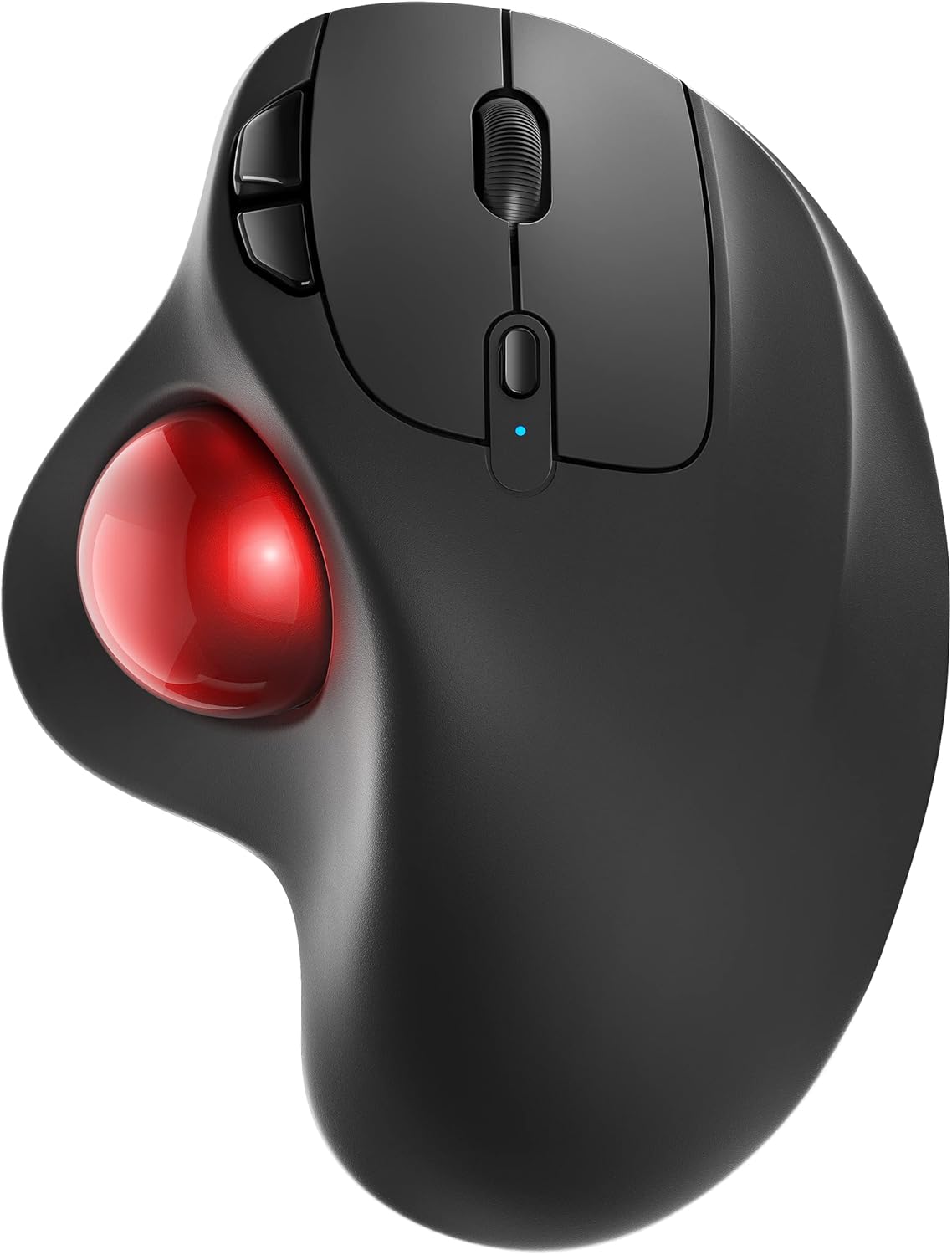
The Nulea M501 is a wireless, rechargeable thumb-operated trackball with six buttons and four DPI levels. It suits desk workers who want to stop moving their wrist and arm to steer a cursor.
Check the current price on Amazon
We may earn a commission at no extra cost to you.
What stands out
- Thumb-operated trackball keeps your wrist and arm still
- Pairs with up to three devices at once
- Connects via Bluetooth or the included 2.4GHz USB receiver
- USB receiver stores in the base of the mouse
- Built-in rechargeable battery, no disposable batteries needed
- Six buttons, including back and forward
Trade-offs to know
- Device-switch button is on the bottom, so switching means lifting it
- Listing doesn't state DPI values or battery life
- Button reprogramming isn't confirmed in the listing
- Thumb trackballs take adjustment if you're used to a mouse
Key Specifications
| Brand | Nulea |
|---|---|
| Color | A-Red |
| Connectivity Technology | Bluetooth |
| Special Feature | Bluetooth, Ergonomic Design, Rechargeable, Wireless |
| Movement Detection Technology | Trackball |
| Movement detection | Thumb-operated trackball |
| Connectivity | Bluetooth, 2.4GHz USB receiver |
| Multi-device | Up to 3 devices |
| DPI settings | 4 levels |
| Buttons | 6 |
| Battery | Built-in rechargeable |
Who It's For
The core idea is simple. Your hand stays put and your thumb rolls the ball to move the cursor. Nulea angles the shell so your palm rests in a more natural position, which is the main reason people switch to this style of pointer. Because the mouse body doesn't move, it also works in cramped spots like a cluttered desk or the arm of a couch. You get four DPI levels to change cursor speed, though the listing doesn't say what those values are.
Connectivity is flexible. You can pair over Bluetooth or use the 2.4GHz USB receiver, which stores in the base of the mouse when you're not using it. It remembers up to three devices. You switch between them with a button on the underside, so you'll need to lift or tilt the mouse to change machines. The battery is built in and recharges over the included cable. Nulea recommends a full charge before first use. It does not publish a battery life figure.
The button layout covers the basics plus back and forward, six in total. That's enough for browsing and office work without extra software. The listing doesn't confirm whether the buttons can be reassigned, so don't count on custom mappings. Buyer sentiment is strong overall, with a 4.4-star average across 12,697 Amazon ratings.
This is a good fit if you spend long hours on spreadsheets, documents, or the web and want to cut down on wrist and arm movement. It also fits if you move between a laptop, a desktop, and a tablet and want one pointer for all three. The rechargeable battery and stowable receiver make it easy to keep in a laptop bag.
Skip it if you play fast-paced games, where a thumb trackball is slower to aim than a standard mouse. Skip it too if you need programmable buttons or a published battery spec. In those cases, look at a gaming mouse or a trackball with documented customization software. If you're left-handed, check the product images to confirm the ball placement suits your hand. If you want ergonomic relief but find thumb control awkward, a vertical mouse or a finger-operated trackball is the alternative to consider.
Bottom Line
The Nulea M501 is right for office and home users who want a rechargeable, multi-device trackball that keeps the wrist still through a long workday. It is not for gamers who need quick, precise aiming, or for anyone who wants fully customizable buttons.
Our guides use published specifications and Amazon listing information, with AI assistance in research and drafting. We do not conduct hands-on testing. Amazon customer ratings are not our own scores. Prices and availability change frequently — always confirm on Amazon before buying.
Compared in these guides
See how this stacks up against the alternatives.
Nulea M501 vs Uineer Bluetooth Mouse: Dimensions Compared
Logitech M185 vs Nulea M501: Mouse Dimensions Compared
Logitech M196 vs Nulea M501: Mouse Dimensions Compared
Nulea M501 vs Logitech POP Mouse: Dimensions Compared
Nulea M501 vs AOC Mouse: Connectivity Compared
More Keyboards & Mice Product Research

Logitech Left Handed Lift Vertical Ergonomic Wireless Mouse - Graphite
Amazon customer rating
The Logitech Lift Left is a wireless vertical mouse built for left-handed users with small to medium hands. It suits you if you mouse all day and want a more upright wrist position without switching to your right hand.

Wireless Bluetooth Mouse, Rechargeable Computer Mouse, Rose Gold
Amazon customer rating
A rechargeable rose gold wireless mouse that connects over Bluetooth or a 2.4GHz USB receiver and has silent clicks and RGB lighting. It suits students, home users, and office workers who want a quiet, good-looking mouse they can move between two devices.

Lenovo Yoga Pro Mouse, Bluetooth, USB-C Rechargable, Dual Mode Bluetooth, 6 Button, Right Handed Design, Ergonomic Design, Programmable Buttons, 2-Way Metal Scroll Wheel, Tidal Teal
Amazon customer rating
The Lenovo Yoga Pro Mouse is a full-size, USB-C rechargeable Bluetooth mouse that pairs with two devices and has six programmable buttons. It suits laptop users who switch between two machines and want quiet clicks for office work.

seenda Wireless Trackball Mouse, Ergonomic Bluetooth Mouse,Black&Red
Amazon customer rating
The seenda Wireless Trackball Mouse is a full-size, thumb-operated trackball that connects to up to three devices over Bluetooth or a 2.4GHz USB receiver. It suits office workers with medium to large hands who want to stop dragging a mouse across the desk and who switch between several machines.