Best 34-Inch Curved Monitors With Built-In Speakers
Searching for a 34-inch curved monitor with speakers usually means one thing: you want a single box that handles a wide desktop and doesn't need a separate soundbar cluttering the space. That combination is less common than it sounds — plenty of 34-inch curved ultrawides skip audio entirely and expect you to plug in headphones or external speakers.
What actually separates these picks is what's built around the core spec. Some pair the curve and speakers with a smart TV platform for streaming without a PC. Others lean into refresh rate for gaming, or USB-C power delivery for running a laptop off one cable. A few list built-in speakers explicitly with wattage, while others just say "speaker" with no detail — that distinction matters if sound quality is part of your decision.
Each product below was chosen because customer-facing specs confirm both the 34-inch curved panel and integrated speakers, or because it's a close, clearly-labeled alternative worth knowing about before you buy.
We may earn a commission at no extra cost to you.

LG 34SR60QC-W 34-inch QHD (3440x1440) Curved Smart Monitor with Streaming, UltraWide Screen, webOS, HDR10, 100Hz, Built-in Speaker, AirPlay2, Screen Share, Bluetooth, ThinQ App, White
Combines the 34-inch curved QHD panel and built-in speakers with LG's webOS platform, so you can stream Netflix or Prime Video directly on the monitor without a PC or streaming box connected.
- +34-inch curved UltraWide QHD screen for multitasking
- +webOS23 streams Netflix, Prime Video, and more with no PC
- +100Hz refresh rate beats standard 60Hz office monitors
- −No USB-C or DisplayPort listed in the specs
- −Matte curved panel isn't ideal for color-critical editing

Sceptre 34-Inch Curved Ultrawide WQHD Monitor (3440 × 1440), R1500, up to 180Hz/165Hz, DisplayPort x2, 99% sRGB, 1ms, Built-in Speakers, Machine Black, 2025 (C345B-QUT168) | An resolution of 3440 x 1440, expand your performance and productivity, DisplayPort x2, Up to 180Hz/165Hz, Quad HD 165Hz
A 1500R curve, up to 180Hz refresh, and built-in speakers on a 3440x1440 panel make this the pick for buyers who want fast, wide gaming without paying for USB-C or extra ports they won't use.
- +3440 x 1440 ultrawide resolution adds real screen space
- +Up to 180Hz refresh with 1ms MPRT for fast motion
- +99% sRGB coverage for reasonably accurate color
- −No USB-C or HDMI listed, only dual DisplayPort
- −Panel type and contrast ratio not specified

Dell 34 Monitor S3425DW, WQHD VA, 120Hz, FreeSync Premium, Eye Comfort | HDR10, Anti-Glare, 300 cd/m2 Brightness, 3,000:1 Contrast, 95% DCI-P3, 2x10W Speakers, USB-C 65W Power Delivery
Pairs the curved 34-inch WQHD screen and specified 2x10W speakers with 65W USB-C power delivery, so one cable can charge a laptop and drive the display for office or hybrid setups.
- +Matte anti-glare coating cuts reflections in bright rooms
- +21:9 ultrawide layout adds real desktop space
- +Single USB-C cable delivers 65W laptop charging
- −300 cd/m2 brightness is modest for HDR content
- −VA panel and 120Hz aren't built for competitive esports

Philips 34 Inch Curved Computer Monitor UWQHD 100Hz USB-C PD VA, 346E2CUAE | 3440×1440 Monitor, HDMI, DP, USB 3.2 Hub, Built-in Speakers, Height Adjust, Adaptive Sync, 4yr Advance Replacement Warranty
Adds a built-in USB 3.2 hub to the curved 34-inch panel and integrated speakers, useful for anyone who wants to dock peripherals and a laptop through the monitor itself.
- +3440x1440 ultrawide resolution expands usable desktop space
- +USB-C Power Delivery charges a laptop over one cable
- +Built-in USB 3.2 hub reduces cable clutter
- −Glossy screen surface can show noticeable glare
- −Curved VA panel less suited to precise color or design work
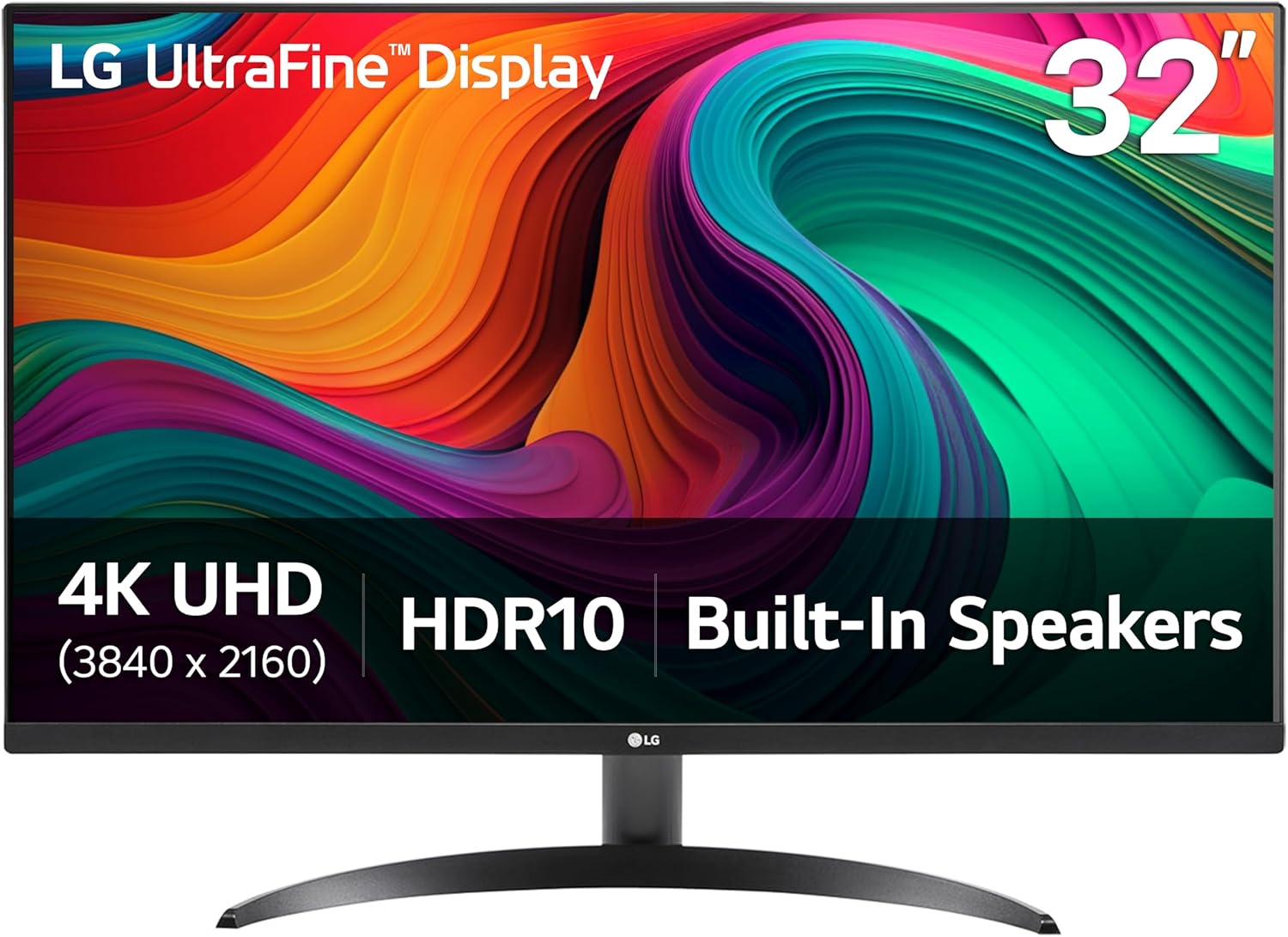
LG 32UR500K-B Ultrafine 32-inch 4K UHD (3840x2160) Computer Monitor HDR10 Built-in Speaker x2 OnScreen Control Reader Mode Flicker Safe Borderless Design HDMIx2 DisplayPort Black
Not curved, but worth knowing about if 4K sharpness matters more than the curve: this 32-inch panel pairs true 4K UHD with built-in MaxxAudio speakers, a combination few curved 34-inch options match on pixel density.
- +4K UHD resolution with up to 90% DCI-P3 color gamut
- +HDR10 support for supported movies and games
- +Built-in MaxxAudio stereo speakers save desk space
- −Stand only tilts, no height, swivel, or pivot listed
- −No refresh rate or response time specified
What to look for
Curve radius and refresh rate tell you what the panel is for. A tighter curve like 1000R wraps more aggressively around your field of view and reads as more immersive for gaming or movies, while a gentler 1500R or 1800R curve is easier to live with for spreadsheets and text-heavy work. Refresh rate follows the same logic — 100Hz is enough to feel smoother than a standard office monitor, but if gaming is a real use case, look for 144Hz or higher and confirm FreeSync or G-Sync support rather than assuming it.
On the speaker question, don't expect built-in monitor speakers to replace a real sound setup. Most listings just say "built-in speaker" without wattage, which usually means thin, functional audio for notifications and casual video, not music or gaming immersion. When a spec sheet actually states wattage, like 2x10W, that's worth noting as a signal of more usable volume and clarity. If audio quality matters more than convenience, treat the built-in speakers as a backup and budget for external ones regardless of which monitor you pick.
This guide is compiled from manufacturer specifications and aggregated customer feedback on Amazon, with AI assistance in drafting. We have not personally tested every product listed. Prices and availability change frequently — always confirm on Amazon before buying.