Best Vertical Mouse Picks for Wrist and Hand Pain
A vertical mouse changes your hand's grip angle so your forearm rests in a more neutral position instead of twisting flat and down toward the desk. That rotation is what a lot of people blame for wrist and forearm soreness after long computer sessions, and it's the main reason someone searches for a vertical mouse instead of just any ergonomic one.
What separates these picks is grip angle, hand-size fit, and how much you can adjust DPI and buttons without giving up the vertical shape. A mouse that's too big or too small for your hand can undo the benefit of the vertical design entirely, so sizing claims from the manufacturer matter as much as the angle itself.
The list below sticks to mice actually built with a vertical grip, ranked by how directly their specs and buyer feedback speak to wrist comfort, hand-size fit, and value.
We may earn a commission at no extra cost to you.

Logitech Mouse MX Vertical, 910-005448
The 57-degree vertical grip is purpose-built to reduce wrist strain, and with over 13,700 Amazon ratings it has the largest track record of any vertical mouse in this list for people specifically buying it to address wrist discomfort.
- +Vertical, adjustable angle designed to reduce wrist strain
- +Connects via Bluetooth, USB receiver, or RF
- +Rated 4.6/5 across over 13,700 Amazon ratings
- −Vertical shape is a change from standard mouse grips
- −No DPI or button count listed in the specs
Logitech Lift Vertical Ergonomic Mouse
Logitech markets the Lift specifically for smaller hands with nearly silent clicks, and a 2-year battery life on a single AA means less time swapping batteries during a workday you're trying to make more comfortable.
- +Excellent ergonomic comfort for small-to-medium hands
- +Nearly silent clicks
- +Pairs with up to 3 devices (Bluetooth + Logi Bolt)
- −Not ideal for large hands (get the MX Vertical instead)
- −No rechargeable battery

TECKNET Ergonomic Mouse, Wireless Bluetooth Vertical Mouse, 4800 DPI Optical Tracking, 6 Adjustable DPI, Quiet Clicks, 2.4GHz with USB A Receiver, 12 Months Battery, 6 Buttons, Wide Compatibility
A vertical grip angle at a lower cost tier, with six DPI levels and both Bluetooth and 2.4GHz modes, backed by over 12,700 ratings for buyers who want wrist relief without paying premium prices.
- +Vertical grip angle designed to ease wrist strain
- +Six DPI levels from 800 to 4800
- +Bluetooth and 2.4GHz modes, two-device Bluetooth pairing
- −Right-handed shape only, no left-hand option
- −Side buttons don't work on macOS

UGREEN Vertical Mouse, Wireless Bluetooth Ergonomic Mouse, Dual-Mode (BT 5.4 & USB 2.4G), Quiet Clicks, 4 Adjustable DPI (1000/1600/2000/4000), Compatible with Windows/Mac/Linux/Android/ChromeOS
Dual Bluetooth and 2.4G connectivity lets you switch the vertical grip across up to three devices, useful for anyone managing wrist pain across a work laptop and a personal computer without buying two mice.
- +Vertical grip reduces wrist rotation for long sessions
- +Dual Bluetooth and 2.4G connection, switches across 3 devices
- +4 DPI levels from 1000 to 4000 for different tasks
- −Runs on a single AA battery, not a rechargeable cell
- −No wired mode or listed polling rate for gaming use

Ergonomic Vertical Wireless Mouse, 57° Natural Handshake for Wrist Pain Relief, Rechargeable 2.4G USB Computer Mouse, Quiet Click, 800/1200/1600 DPI, for Laptop PC Mac, Small/Medium Hands (Black)
At 86 grams with a 57-degree angle and USB-C recharging, this is the lightest vertical option here, which matters if wrist pain is aggravated by lifting and repositioning a heavier mouse.
- +Vertical 57-degree design aimed at reducing wrist strain
- +Lightweight at 86g for smaller hands
- +USB-C rechargeable, no AA batteries needed
- −Sized for small/medium hands only, not larger grips
- −Only three fixed DPI steps, no fine-tuning
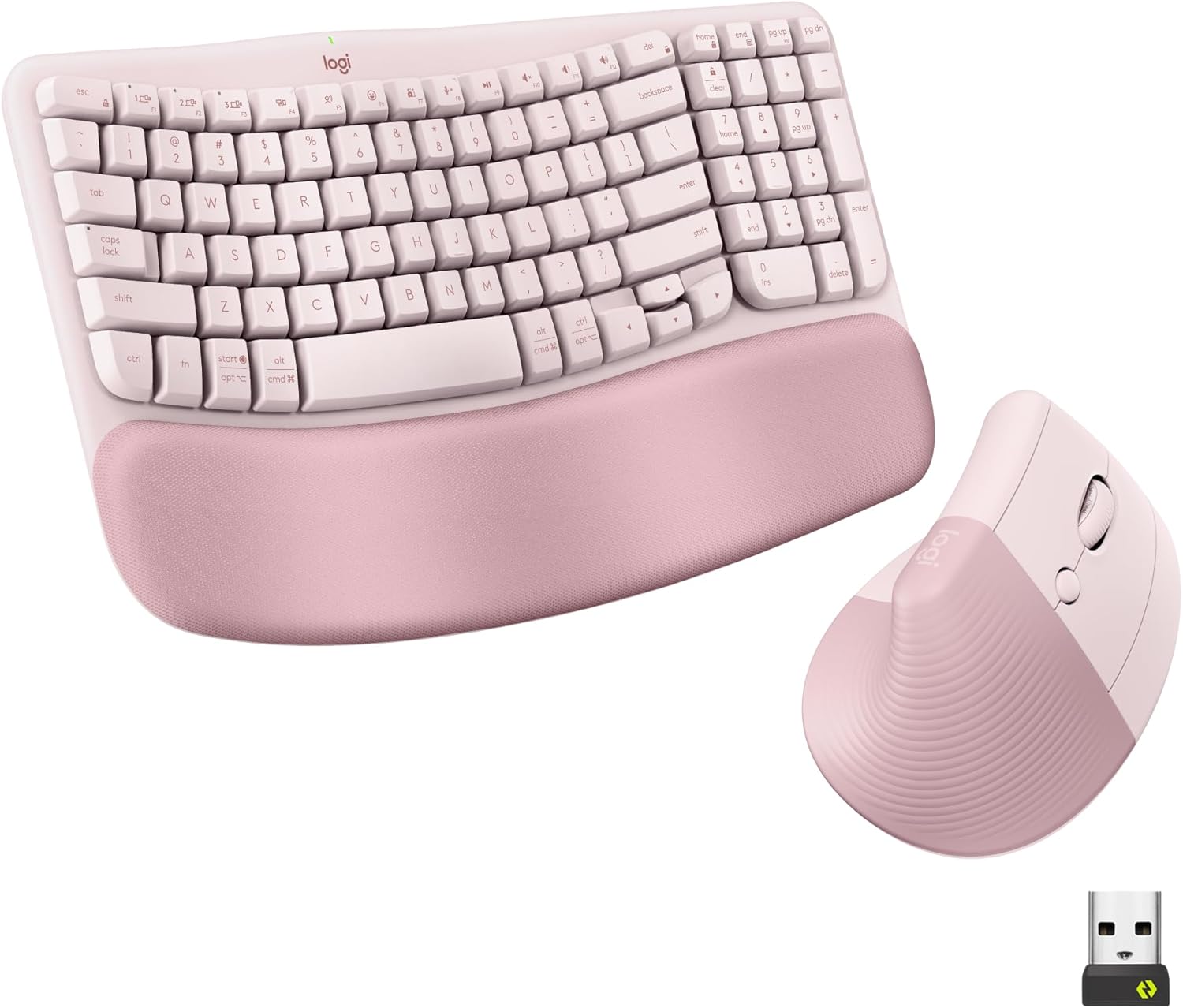
Logitech Wave Keys Keyboard & Lift Mouse Ergonomic Combo - Rose | Cushioned Palm Rest, wireless, Bluetooth, Easy-Switch, Multi-OS, Windows/Mac
Pairs a vertical Lift mouse with a cushioned wave keyboard, worth considering if wrist strain shows up during typing as well as mousing and you'd rather address both at once.
- +Cushioned memory foam palm rest for wrist support
- +Bluetooth and Logi Bolt receiver support multi-device switching
- +Vertical mouse angle reduces forearm rotation strain
- −Lift mouse sized for small to medium hands only
- −No wired connection option for low-latency use
What to look for
The grip angle is the spec that actually matters here, not DPI or button count. A steeper vertical angle (57 degrees is common among the picks below) rotates your palm further from the flat, pronated position that causes strain, but it also means the mouse won't feel intuitive on day one — buyers consistently mention a short adjustment period across nearly every vertical mouse in this list. Hand size fit matters just as much: a mouse sized for small-to-medium hands will force larger hands into an awkward grip that reintroduces the tension you're trying to avoid, so check the stated hand-size range before anything else.
Beyond that, prioritize battery type and click noise over gaming-oriented specs like polling rate or DPI ceiling — none of these are built for competitive gaming, and features like high DPI counts matter less than whether the mouse fits your hand and stays comfortable for a full workday.
This guide is compiled from manufacturer specifications and aggregated customer feedback on Amazon, with AI assistance in drafting. We have not personally tested every product listed. Prices and availability change frequently — always confirm on Amazon before buying.