Nulea M501 vs Logitech Lift: Mouse Dimensions Compared
By TechItSpot · Research-based buying guide. Updated 2026-11-09. How we compare products
At a glance
- Logitech Lift Vertical Ergonomic Wireless Mouse - Rose Smaller listed body
- Nulea M501 Wireless Trackball Mouse Ergonomic Thumb Control,4 DPI Levels Stationary thumb control
If you want the smaller body, choose the Logitech Lift: its supplied dimensions are 108 x 70 x 71 mm, versus 140 x 111 mm for the Nulea M501. The tradeoff is cursor control: you move the Lift across your desk, while the M501 uses a thumb-operated trackball that can stay in place.
The Lift Rose has a vertical shape and Logitech sizing guidance for small to medium hands. The M501 has a larger listed body and thumb controls. This comparison uses only the supplied product information, without hands-on testing.
We may earn a commission at no extra cost to you.
The picks

Logitech Lift Vertical Ergonomic Wireless Mouse - Rose
Choose the Lift Rose if smaller body dimensions are your priority. It measures 108 x 70 x 71 mm (4.3 x 2.8 x 2.8 in), and Logitech sizes it for small to medium hands. This variant is right-handed, and you should allow desk space to move it.
- +57-degree vertical shape sized by Logitech for small to medium hands
- +Bluetooth and included Logi Bolt USB-A receiver
- +Up to three paired devices with Easy-Switch
- −This Rose variant is right-handed
- −Device-switch button is underneath
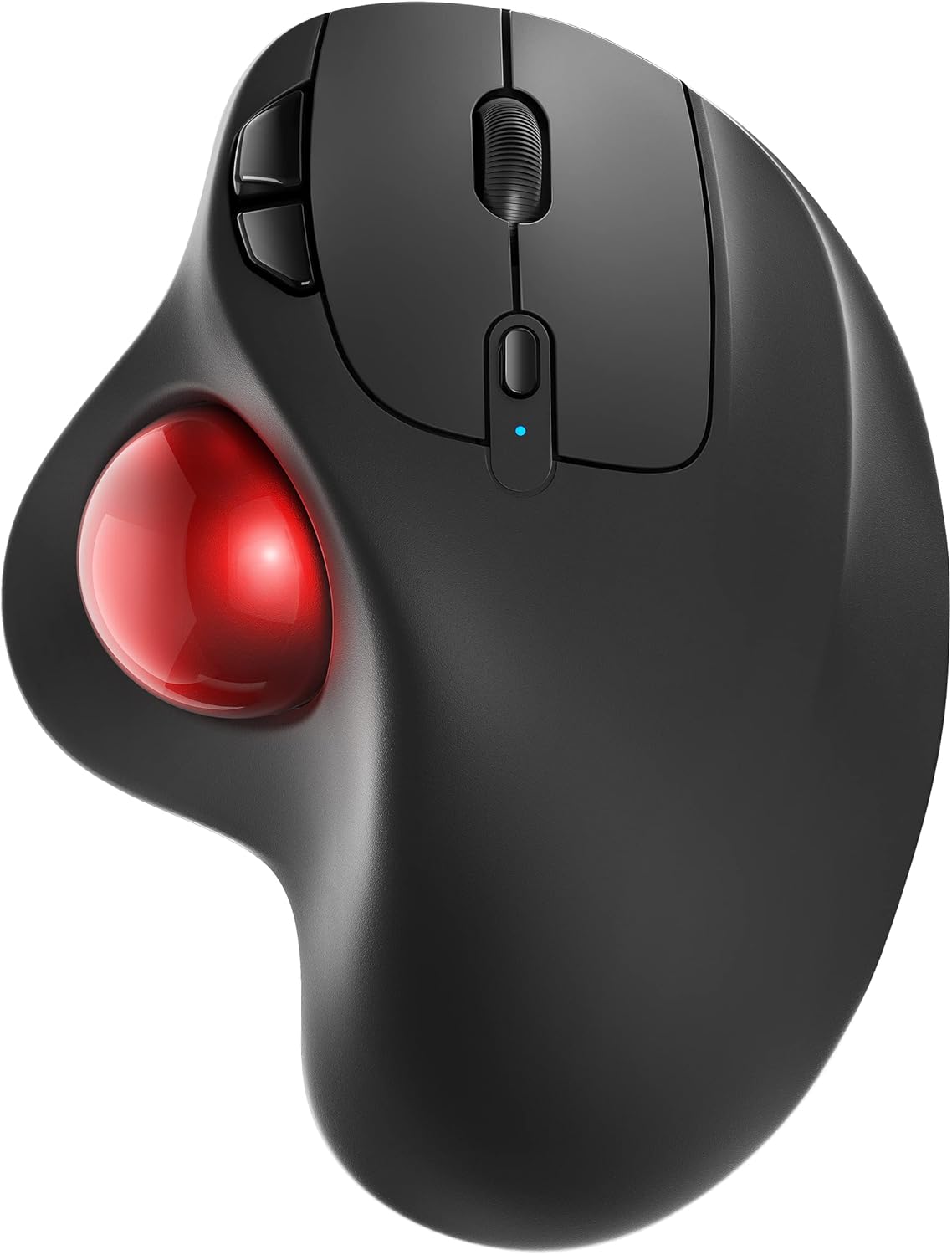
Nulea M501 Wireless Trackball Mouse Ergonomic Thumb Control,4 DPI Levels
Choose the Nulea M501 if you prefer steering with your thumb while keeping the device in place. Its listed size is 140 x 111 mm (5.5 x 4.4 in), making it the larger-bodied option in this comparison. Check that those dimensions fit your workspace; its height and your hand fit cannot be established from the supplied measurements.
- +Thumb-operated trackball keeps your wrist and arm still
- +Pairs with up to three devices at once
- +Connects via Bluetooth or the included 2.4GHz USB receiver
- −Device-switch button is on the bottom, so switching means lifting it
- −Listing doesn't state DPI values or battery life
What to look for
Body dimensions and operating space answer different questions. Before buying, compare the listed measurements with your available desk area and your current mouse. Allow movement space for the Lift. The supplied M501 measurements contain two dimensions, so its height remains unknown here; confirm dimension labels and height before buying for a fitted compartment.
Logitech's small-to-medium-hand guidance is a useful starting point for the Lift, but it does not guarantee comfort. Its Rose variant is confirmed right-handed. The supplied dimensions do not establish how either product will fit your hand, so check whether you prefer a vertical moving mouse or thumb-operated trackball controls.
Related buying guides
Our guides use published specifications and Amazon listing information, with AI assistance in research and drafting. We do not conduct hands-on testing. Amazon customer ratings are not our own scores. Prices and availability change frequently — always confirm on Amazon before buying.