Office Mice With Four Adjustable DPI Levels Compared
By TechItSpot · Research-based buying guide. Updated 2026-10-18. How we compare products
At a glance
- TECKNET USB Wired Mouse with Forward Backward Keys & 4 Adjustable DPI Gray Side buttons
- Uineer Wireless Mouse, 2.4GHz Rechargeable Computer Mouse, Battery Display Battery display
- Macally Computer Mouse Wired, Silent USB Mice - Slim & Compact USB for Apple Mac or Windows PC Laptop/Desktop - Designed with Optical Sensor & DPI Switch - Simple - Black Silent clicks
- Uineer Bluetooth Mouse, Tri-Mode Wireless, Rechargeable, 3-Device Switch Three devices
If you want a wired office mouse with forward and back buttons, start with the TECKNET USB Wired Mouse, whose four DPI presets run from 1000 to 6400. The tradeoff is the cable, and its side buttons do not work on a Mac. If you would rather skip the cable, the two Uineer models give you four DPI settings over wireless with a rechargeable battery.
All four picks list exactly four DPI settings. They differ in connection type, extra buttons, documented quiet clicks, and how many devices they pair with. The Macally is the only pick with documented silent clicks. The Uineer Tri-Mode is the only one that switches between three devices.
This guide compares the supplied product information. We have not tested these mice, so comfort, click feel, and tracking are not judged here.
We may earn a commission at no extra cost to you.
The picks

TECKNET USB Wired Mouse with Forward Backward Keys & 4 Adjustable DPI Gray
This mouse names four adjustable DPI levels in its title, from 1000 to 6400. It is described as a plug-and-play office mouse with forward and back keys for browsing and moving through folders, and no software is needed. It suits Windows and Chromebook users who are fine with a cable. The side buttons do not work on Mac. At 125 mm long, its estimated fit is 18-21 cm hand length, the largest in this group, so compare that with your hand first.
- +Forward and back side buttons for browsing and file navigation
- +Four DPI presets from 1000 to 6400
- +True plug-and-play, no software or drivers needed
- −Side buttons do not work on Mac
- −Wired only; the cable stays on your desk
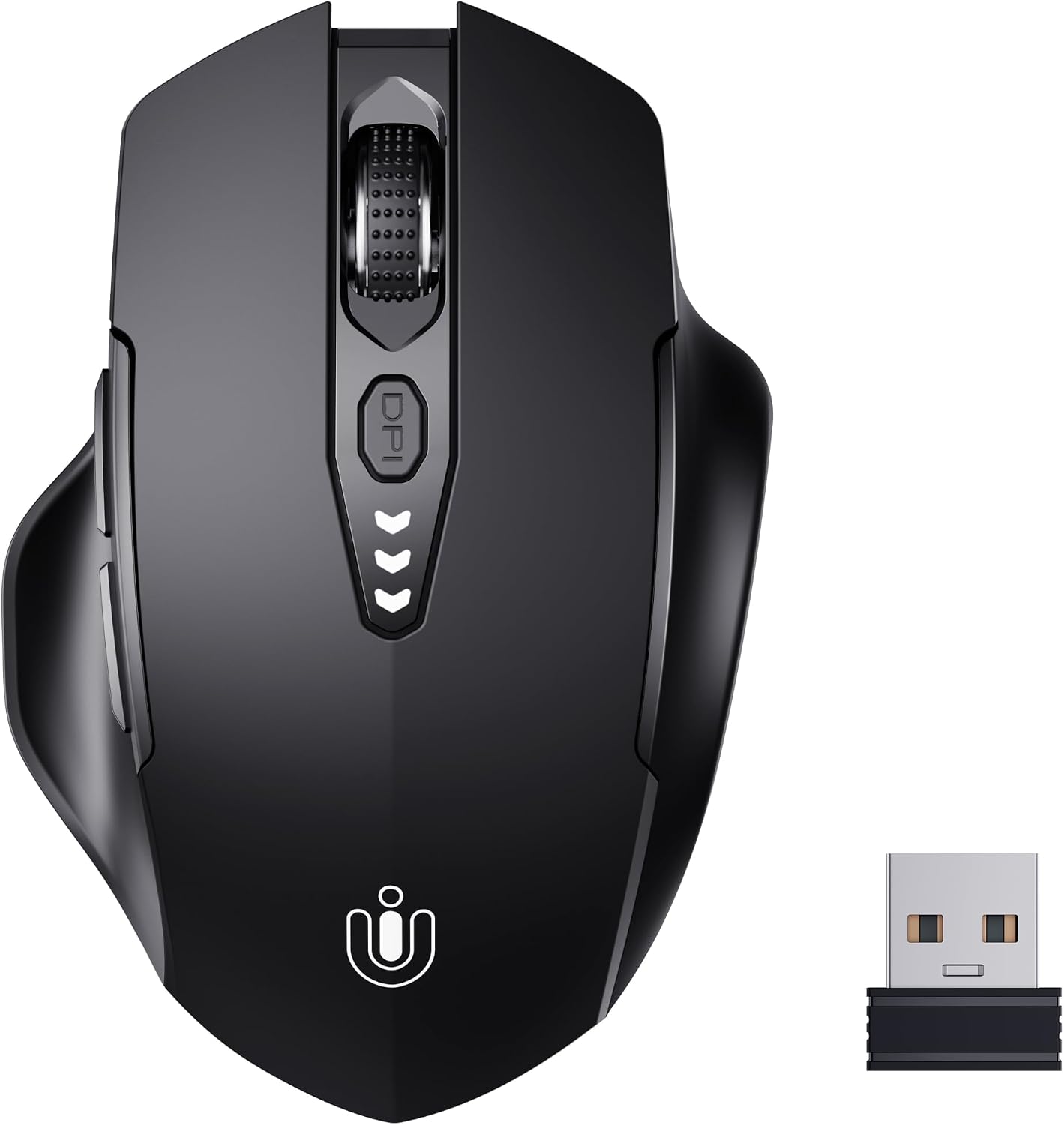
Uineer Wireless Mouse, 2.4GHz Rechargeable Computer Mouse, Battery Display
This is a 2.4GHz wireless mouse with four DPI settings from 800 to 2400 and an on-mouse battery level display. It is rechargeable, so there are no disposable batteries to buy. It is pitched at everyday office and laptop use with a plug-in receiver and no drivers. Battery life and the charging port type are not specified in our data. No Bluetooth is listed, so plan on a free USB port for the receiver.
- +Rechargeable, so no disposable batteries to buy
- +Battery level display warns you before it runs out
- +Four DPI settings from 800 to 2400
- −No Bluetooth listed; the receiver uses a USB port
- −Battery life and charging port type are not specified

Macally Computer Mouse Wired, Silent USB Mice - Slim & Compact USB for Apple Mac or Windows PC Laptop/Desktop - Designed with Optical Sensor & DPI Switch - Simple - Black
The Macally is a slim wired mouse with four DPI settings from 800 to 2400. Macally claims its clicks are 90% quieter. That makes it the pick here if you share an office or work near others. It is plug and play on Mac and Windows with no drivers. It uses a USB-A plug, so a USB-C-only laptop needs an adapter. At 107 x 58 mm, its estimated fit is 15.5-18 cm hand length.
- +Macally claims clicks are 90% quieter
- +Four DPI settings from 800 to 2400
- +Plug and play on Mac and Windows, no drivers
- −USB-A plug needs an adapter on USB-C-only laptops
- −Cable makes it less convenient for travel than wireless

Uineer Bluetooth Mouse, Tri-Mode Wireless, Rechargeable, 3-Device Switch
The Uineer Tri-Mode has four DPI steps from 800 to 2400. Its listing describes Bluetooth and 2.4G receiver connections and switching between up to three devices. That fits an office setup where one mouse moves between a desktop, a laptop, and a tablet. It is rechargeable with a battery level indicator, but battery life and charging time are not published. It shares the 118 x 82 mm size of the other Uineer, with an estimated fit of 17-19.5 cm hand length.
- +Connects via 2.4G receiver or Bluetooth 4.0 and 5.0
- +Switches between up to three devices
- +Four DPI steps from 800 to 2400
- −Battery life and charging time are not published
- −2400 DPI maximum is limiting for gaming
What to look for
For this query, read two numbers: how many DPI presets the mouse has and the range they cover. The Macally and both Uineer models span 800 to 2400 DPI. The TECKNET wired mouse spans 1000 to 6400. For spreadsheets, documents, and browsing, the lower range covers ordinary cursor speeds. The wider TECKNET range adds faster settings if you use a large or high-resolution monitor. The supplied data gives the endpoints but not every step in between, so check the listing for the exact presets before you buy. Several other mice in our catalog have five or six DPI levels. They are left out here because they do not match a four-level request.
Then check your ports. The Macally needs an adapter on a USB-C-only laptop. The Uineer Wireless uses a USB receiver. The cable plug on the TECKNET and the receiver plug on the Uineer models are not confirmed in our data, so treat them as unknowns rather than limits. For sizing, our hand-length fit ranges are an unvalidated estimate based on mouse length. They are not a manufacturer claim, and grip style changes what feels right. By that estimate, the 125 mm TECKNET leans toward longer hands (about 18-21 cm), and the 107 mm Macally leans toward shorter ones (about 15.5-18 cm).
Related buying guides
Our guides use published specifications and Amazon listing information, with AI assistance in research and drafting. We do not conduct hands-on testing. Amazon customer ratings are not our own scores. Prices and availability change frequently — always confirm on Amazon before buying.