Uineer Wireless Mouse, 2.4GHz Rechargeable Computer Mouse, Battery Display: Is It Worth Buying?
Rating shown is the Amazon customer average, not our own score.
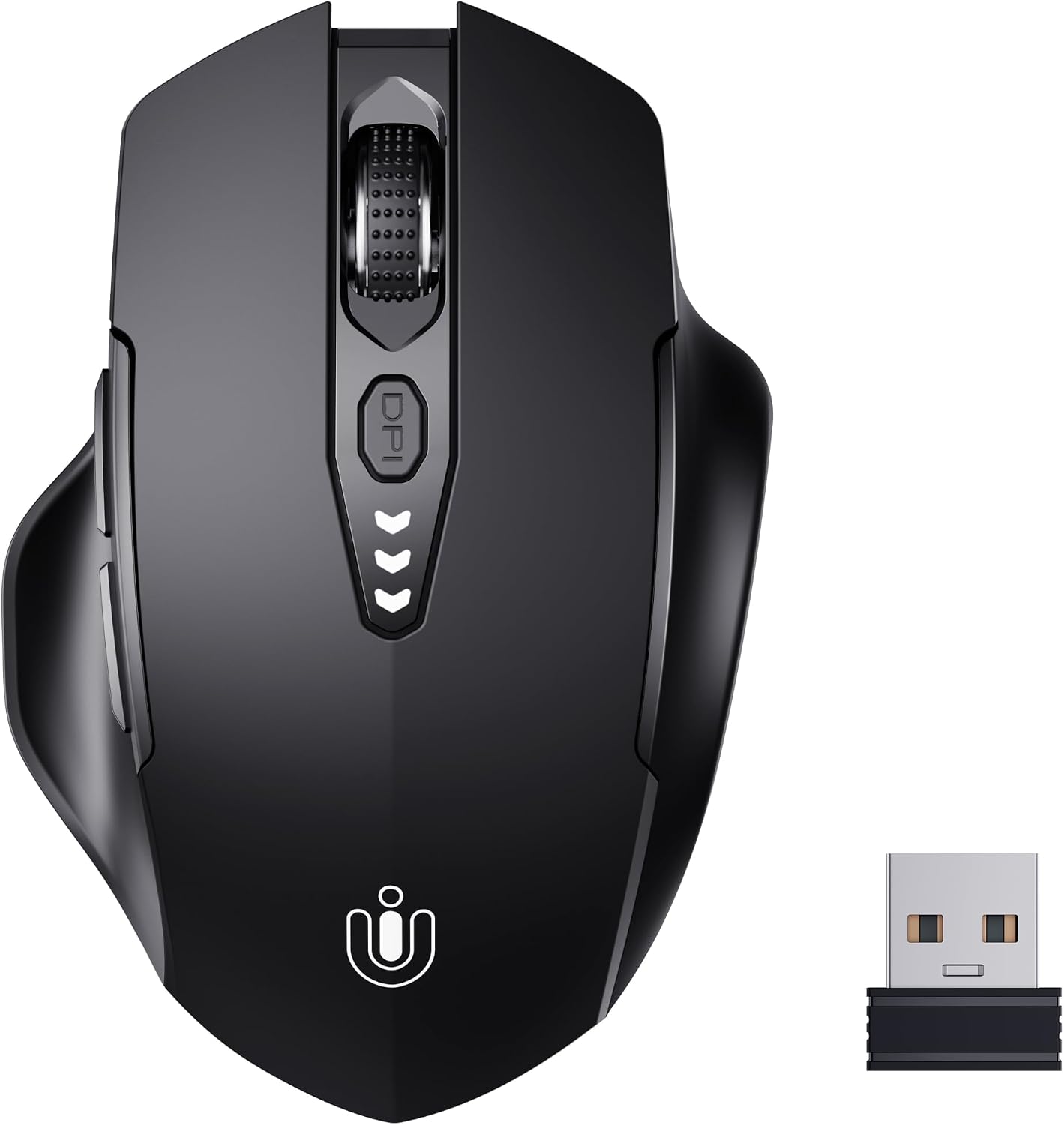
A rechargeable 2.4GHz wireless mouse with an on-mouse battery level display and four DPI settings. It suits everyday office and laptop users who want a simple plug-in mouse and no disposable batteries.
Check the current price on Amazon
We may earn a commission at no extra cost to you.
What stands out
- Rechargeable, so no disposable batteries to buy
- Battery level display warns you before it runs out
- Four DPI settings from 800 to 2400
- No drivers needed; plug in the receiver and go
- Works with Windows, Mac, and Linux
- 45-day refund and one-year replacement coverage
Trade-offs to know
- No Bluetooth listed; the receiver uses a USB port
- Battery life and charging port type are not specified
- 2400 DPI maximum is limited for gaming
- Dimensions and weight are not published
Key Specifications
| Brand | Uineer |
|---|---|
| Color | Matte Black |
| Connectivity Technology | USB |
| Special Feature | Battery Level Visible, Ergonomic Design, Rechargeable, Wireless |
| Movement Detection Technology | Optical |
| Connectivity | 2.4GHz wireless, USB receiver |
| DPI settings | 800 / 1200 / 1600 / 2400 |
| Sensor | Optical |
| Power | Rechargeable battery |
| Battery indicator | Yes, visible display |
| Drivers | Not required |
| Compatibility | Windows, Mac, Linux |
| Support | 45-day refund, 1-year free replacement |
Who It's For
The spec sheet describes a basic, practical mouse. It connects through a 2.4GHz USB receiver and needs no drivers, so you plug it in and start working on Windows, Mac, or Linux. The battery is rechargeable, and a visible battery indicator shows the charge level, so the mouse shouldn't die on you without warning. Four DPI settings (800, 1200, 1600, and 2400) let you trade precision for speed. The lower settings suit detailed spreadsheet or photo work, and the higher ones help on a large or dual-monitor setup. Tracking is optical. The manufacturer calls the shape ergonomic, but it does not publish dimensions or weight, so you can't judge the fit for your hand from the specs alone.
The listing leaves several things out. It gives no battery life figure, no charging time, and no charging port type, and it does not say how many buttons the mouse has. It also does not say whether the receiver is USB-A or USB-C. If your laptop only has USB-C ports, check the product images or Q&A before you buy, because you may need an adapter.
The ratings are a reassuring sign. The mouse holds a 4.5 out of 5 average across more than 9,500 Amazon ratings, which suggests most buyers are satisfied with it as an everyday mouse. The seller also offers a 45-day refund window and one year of free replacement, which lowers the risk if your unit turns out to be faulty.
This mouse is clearly right for students, home office workers, and laptop users who want a cordless mouse they can recharge instead of feeding with AA batteries. It also fits a family computer or a spare mouse for a travel bag, where simple setup matters more than features.
Skip it if you play competitive games or need detailed specs. A 2400 DPI ceiling is low for gaming, and the listing says nothing about polling rate or programmable buttons, so a dedicated gaming mouse from Logitech G or Razer is the better choice. If you want to switch between several computers, or you want to free up a USB port, look for a mouse that also supports Bluetooth, such as models in Logitech's MX or Signature lines.
Bottom Line
This mouse is right for you if you work on a laptop or desktop and want a cordless, rechargeable mouse that shows its battery level and works out of the box. It is not right for gamers or for multi-device users who need Bluetooth, higher DPI, or programmable buttons.
Our guides use published specifications and Amazon listing information, with AI assistance in research and drafting. We do not conduct hands-on testing. Amazon customer ratings are not our own scores. Prices and availability change frequently — always confirm on Amazon before buying.
Compared in these guides
See how this stacks up against the alternatives.
More Keyboards & Mice Product Research

Logitech Left Handed Lift Vertical Ergonomic Wireless Mouse - Graphite
Amazon customer rating
The Logitech Lift Left is a wireless vertical mouse built for left-handed users with small to medium hands. It suits you if you mouse all day and want a more upright wrist position without switching to your right hand.

Wireless Bluetooth Mouse, Rechargeable Computer Mouse, Rose Gold
Amazon customer rating
A rechargeable rose gold wireless mouse that connects over Bluetooth or a 2.4GHz USB receiver and has silent clicks and RGB lighting. It suits students, home users, and office workers who want a quiet, good-looking mouse they can move between two devices.

Lenovo Yoga Pro Mouse, Bluetooth, USB-C Rechargable, Dual Mode Bluetooth, 6 Button, Right Handed Design, Ergonomic Design, Programmable Buttons, 2-Way Metal Scroll Wheel, Tidal Teal
Amazon customer rating
The Lenovo Yoga Pro Mouse is a full-size, USB-C rechargeable Bluetooth mouse that pairs with two devices and has six programmable buttons. It suits laptop users who switch between two machines and want quiet clicks for office work.

seenda Wireless Trackball Mouse, Ergonomic Bluetooth Mouse,Black&Red
Amazon customer rating
The seenda Wireless Trackball Mouse is a full-size, thumb-operated trackball that connects to up to three devices over Bluetooth or a 2.4GHz USB receiver. It suits office workers with medium to large hands who want to stop dragging a mouse across the desk and who switch between several machines.