The Quietest Mechanical Keyboards for Shared Office Typing
Typing in an open office means every clack travels. This question is really asking which mechanical keyboards manage to keep the tactile feel people like without turning heads three desks over, and where a non-mechanical option might actually serve a shared space better.
What separates these picks is sound-dampening construction, not just marketing copy. Gasket-mount frames, foam layers, and switch type (linear vs. clicky) all affect how loud a board actually is in use, and hot-swappable sockets let you replace stock switches with quieter ones later if the defaults are too loud for your desk neighbors.
The list below leans on true mechanical boards built with dampening in mind, then adds a few membrane and scissor-switch alternatives for anyone who decides that a genuinely silent keyboard matters more than mechanical feel in a shared room.
We may earn a commission at no extra cost to you.
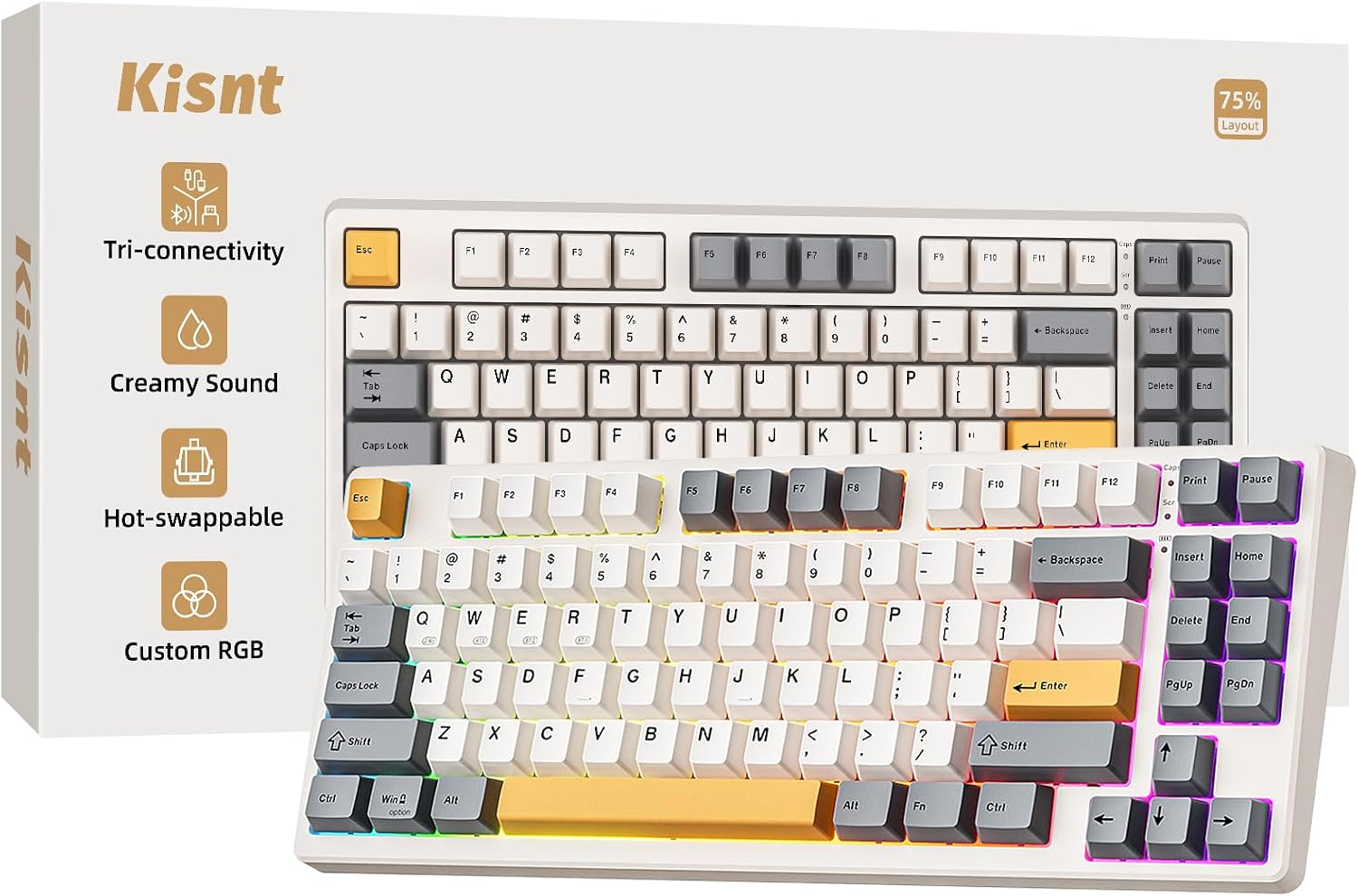
Kisnt KN85 Wireless Mechanical Keyboard, 75% Layout, Bluetooth/2.4GHz/USB-C, Custom RGB Backlit, Hot-Swappable Linear Switch, Creamy Sound for Gaming/Typing (Retro Beige)
Built specifically around noise reduction: gasket mount plus 5-layer internal foam, hot-swappable linear switches, and a "creamy sound" profile aimed at typists who don't want a clacky board next to coworkers.
- +75% layout saves desk space, keeps arrows and shortcuts
- +Hot-swappable 3/5 pin sockets for switch customization
- +Tri-mode connectivity with low stated latency across all three
- −RGB driver and software support Windows only
- −Fast chargers may damage the keyboard per manufacturer warning

AULA F75 75% Wireless Mechanical Keyboard, Hot Swappable Creamy Keyboard, Pre-lubed Reaper Switches, 2.4GHz/Type-C/BT5.0, RGB Backlit Gaming Keyboards(White & Blue)
Pre-lubed switches and hot-swap sockets let you tune or replace the stock switches for a quieter feel, at a lower price point than boards with dedicated sound-dampening marketing.
- +Connects to five devices via 2.4GHz, Bluetooth, or USB-C
- +Hot-swappable switches support 3-pin or 5-pin replacements
- +Compact 75% layout keeps arrow keys, saves desk space
- −No published battery life figures for wireless use
- −House-brand Reaper switches lack the track record of major brands
Keychron K8 Pro Wireless Mechanical Keyboard
Full QMK/VIA programmability and hot-swap sockets mean you can drop in silent linear switches yourself if the defaults are too loud for a shared desk, with a sturdier aluminum frame option than most budget boards.
- +Hot-swappable switches, no soldering needed
- +Full QMK/VIA programmability
- +Mac & Windows keycaps included
- −Tall profile — a wrist rest is recommended
- −Heavier than typical office keyboards

Logitech Ergo K860 Wireless Ergonomic Split Keyboard with Wrist Rest | Curved split keyframe, pillowed wrist rest, Bluetooth, USB connectivity with included USB Receiver, Windows Mac compatible
Not mechanical, but for anyone whose real priority is minimizing noise in a shared room rather than keeping a mechanical feel, the low-profile scissor keys and curved split layout produce far less desk noise than any clicky or linear mechanical switch.
- +Split, curved layout designed to ease wrist strain
- +Three tilt-leg angles including negative tilt options
- +Attached memory foam wrist rest, nothing to misplace
- −Fixed split, not a fully separable two-piece keyboard
- −No per-key backlighting, only single-color options

Perixx PERIBOARD-512B Wired Ergonomic Keyboard - Split Keyboard, Wrist Rest, Natural Typing - Wired USB Connectivity - US English - Black
A membrane split keyboard rated for up to 20 million keystrokes with defined tactile feedback, for offices that want a durable, quiet daily-use board without wireless pairing or mechanical switch noise.
- +Split design supports a more natural wrist position
- +4.2 mm key travel gives tactile, defined feedback
- +Rated for up to 20 million keystrokes
- −Membrane switches, not true mechanical
- −Split layout requires a 1-2 week adjustment period
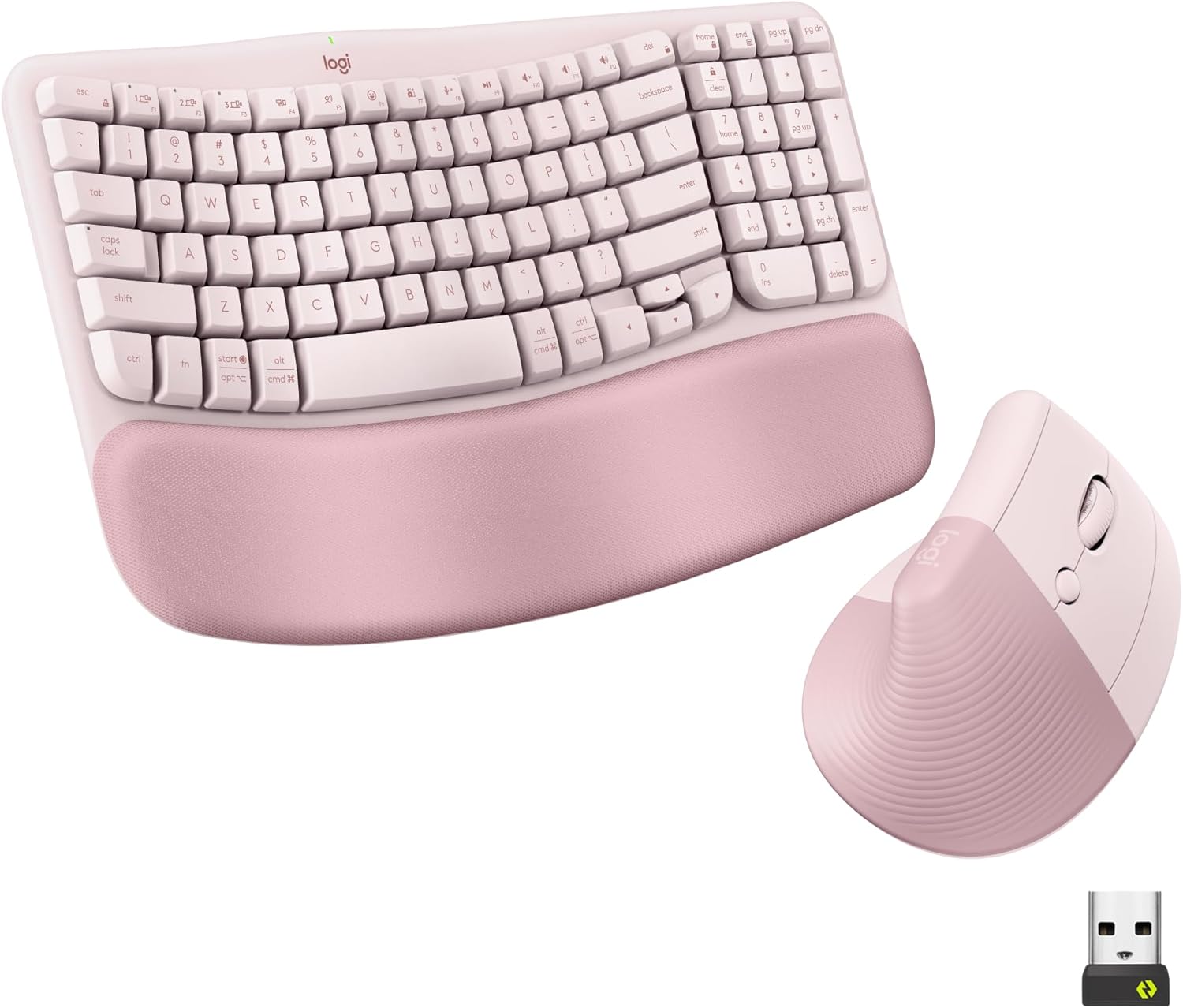
Logitech Wave Keys Keyboard & Lift Mouse Ergonomic Combo - Rose | Cushioned Palm Rest, wireless, Bluetooth, Easy-Switch, Multi-OS, Windows/Mac
Pairs a cushioned wave-shaped keyboard using quiet plunger switches with a vertical mouse, useful for shared desks that want a matched quiet keyboard-and-mouse setup rather than sourcing each separately.
- +Cushioned memory foam palm rest for wrist support
- +Bluetooth and Logi Bolt receiver support multi-device switching
- +Vertical mouse angle reduces forearm rotation strain
- −Lift mouse sized for small to medium hands only
- −No wired connection option for low-latency use
What to look for
For this specific question, switch type and dampening construction matter more than switch count or RGB. Clicky switches (often labeled "blue" or similar) are the loudest mechanical option and are a poor fit for shared desks. Linear switches are quieter by design because they lack the click bar, and buyers report gasket-mount frames plus internal foam layers noticeably cut down the hollow "ping" sound cheaper mechanical boards produce. If a listing mentions hot-swappable sockets, that's your insurance policy: you can start with stock switches and drop in dedicated silent linear switches later without buying a new board.
If a listing doesn't mention gasket mount, foam, or switch type at all, treat that as a gap in the spec sheet, not a neutral fact. And if quiet matters more to you than the mechanical feel itself, a well-built membrane or scissor-switch keyboard will almost always produce less office noise than any mechanical board, dampened or not.
This guide is compiled from manufacturer specifications and aggregated customer feedback on Amazon, with AI assistance in drafting. We have not personally tested every product listed. Prices and availability change frequently — always confirm on Amazon before buying.