Wireless Mechanical Keyboards That Work With Mac and Windows
If you're searching for a wireless mechanical keyboard that plays nice with both Mac and Windows, you're really asking two questions at once: does it have real mechanical switches (not membrane or scissor), and does it actually support macOS function keys and media controls instead of just "technically pairing" over Bluetooth. Those two requirements narrow the field fast, since a lot of wireless keyboards marketed to office workers use quiet plunger or membrane switches instead of true mechanical ones.
The picks below lean on the small set of genuinely hot-swappable mechanical boards in this pool, ranked by how clearly they support cross-platform use, then round out with a couple of wireless ergonomic keyboards for shoppers who started this search wanting comfort and multi-OS support more than a tactile click.
Each pick calls out who it actually suits, since "mechanical" buyers and "just want something comfortable that pairs with my Mac and PC" buyers are often searching the same phrase for different reasons.
We may earn a commission at no extra cost to you.
Keychron K8 Pro Wireless Mechanical Keyboard
Keychron K8 Pro is the clearest fit for the exact query: hot-swappable mechanical switches, Bluetooth wireless, and Mac and Windows keycap sets included so you're not stuck with the wrong modifier key labels on either OS.
- +Hot-swappable switches, no soldering needed
- +Full QMK/VIA programmability
- +Mac & Windows keycaps included
- −Tall profile — a wrist rest is recommended
- −Heavier than typical office keyboards

AULA F75 75% Wireless Mechanical Keyboard, Hot Swappable Creamy Keyboard, Pre-lubed Reaper Switches, 2.4GHz/Type-C/BT5.0, RGB Backlit Gaming Keyboards(White & Blue)
AULA F75 pairs pre-lubed hot-swappable mechanical switches with tri-mode wireless (2.4GHz, Bluetooth 5.0, USB-C), so you get genuine mechanical feel and flexible OS-agnostic pairing at a lower cost than most hot-swap boards.
- +Connects to five devices via 2.4GHz, Bluetooth, or USB-C
- +Hot-swappable switches support 3-pin or 5-pin replacements
- +Compact 75% layout keeps arrow keys, saves desk space
- −No published battery life figures for wireless use
- −House-brand Reaper switches lack the track record of major brands
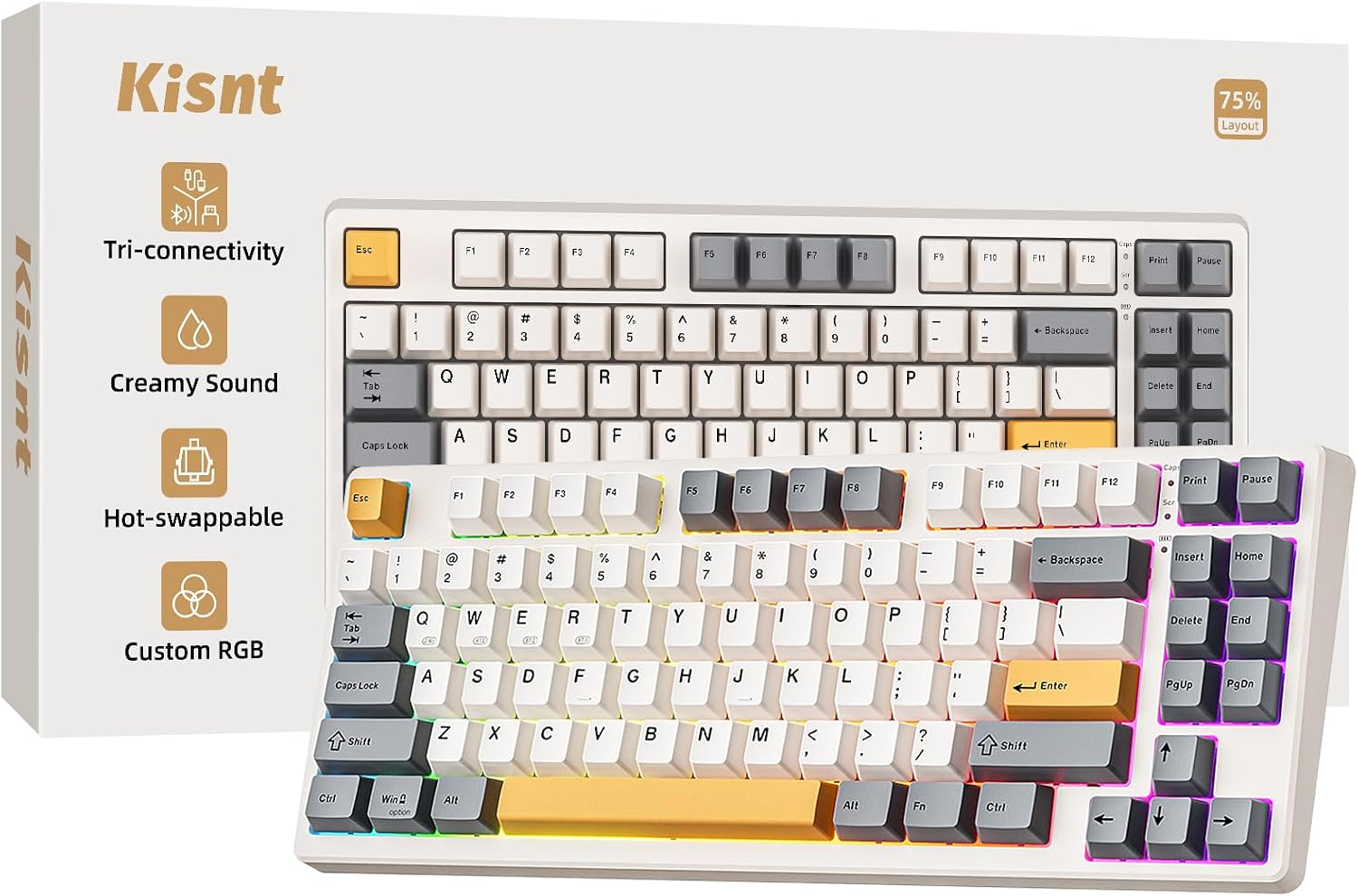
Kisnt KN85 Wireless Mechanical Keyboard, 75% Layout, Bluetooth/2.4GHz/USB-C, Custom RGB Backlit, Hot-Swappable Linear Switch, Creamy Sound for Gaming/Typing (Retro Beige)
The Kisnt KN85 is a hot-swappable mechanical board with the same tri-mode wireless setup and a gasket mount for a quieter, more cushioned typing sound; worth noting its RGB software is Windows-only, so Mac users get full typing function but not the lighting customization.
- +75% layout saves desk space, keeps arrows and shortcuts
- +Hot-swappable 3/5 pin sockets for switch customization
- +Tri-mode connectivity with low stated latency across all three
- −RGB driver and software support Windows only
- −Fast chargers may damage the keyboard per manufacturer warning

Logitech Ergo K860 Wireless Ergonomic Split Keyboard with Wrist Rest | Curved split keyframe, pillowed wrist rest, Bluetooth, USB connectivity with included USB Receiver, Windows Mac compatible
The Logitech Ergo K860 isn't mechanical, but it's built for the exact cross-platform need — Bluetooth or USB receiver, explicit Windows/Mac/Linux/Chrome OS support — for shoppers who came to this search wanting all-day wrist comfort more than a clicky switch.
- +Split, curved layout designed to ease wrist strain
- +Three tilt-leg angles including negative tilt options
- +Attached memory foam wrist rest, nothing to misplace
- −Fixed split, not a fully separable two-piece keyboard
- −No per-key backlighting, only single-color options
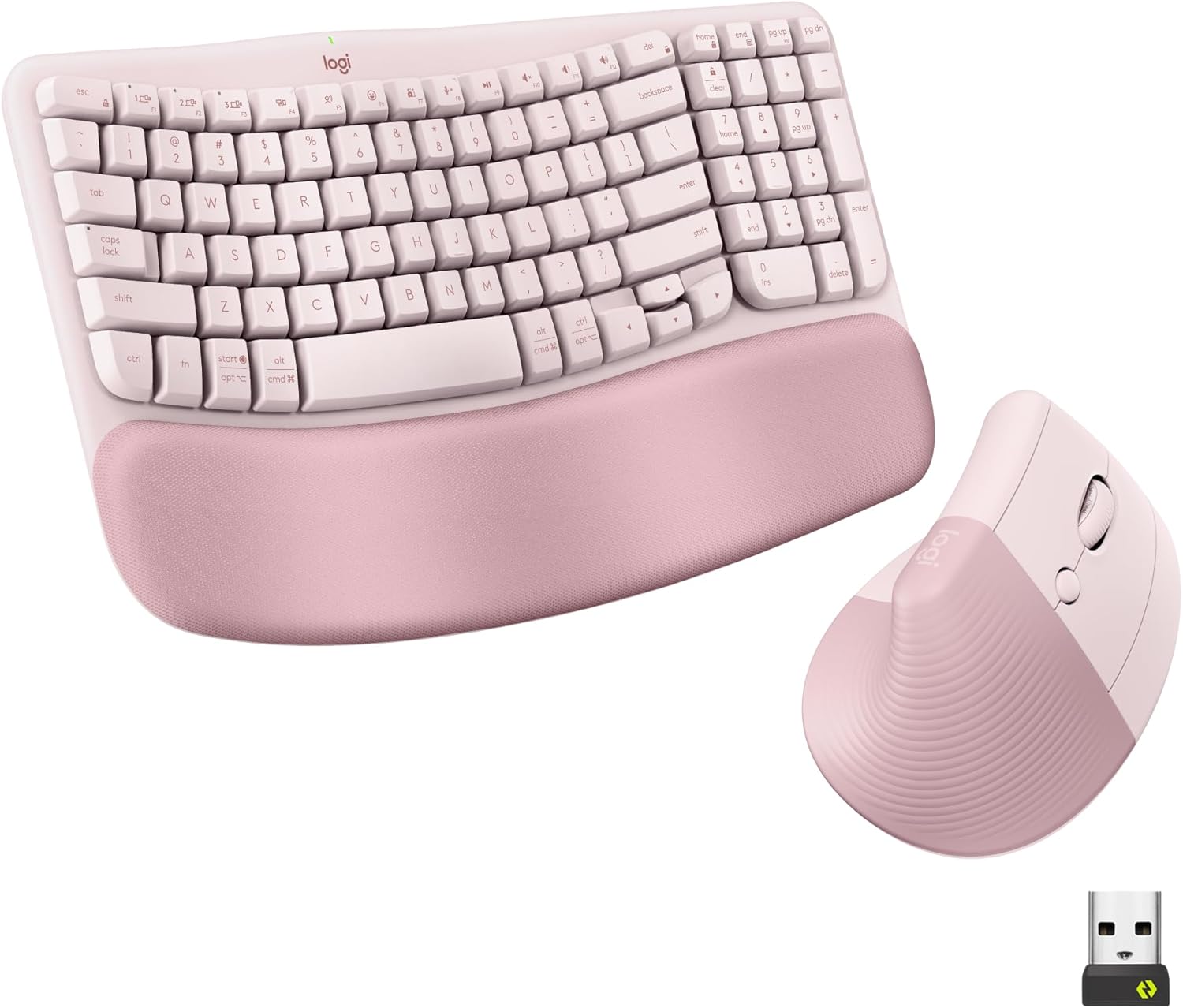
Logitech Wave Keys Keyboard & Lift Mouse Ergonomic Combo - Rose | Cushioned Palm Rest, wireless, Bluetooth, Easy-Switch, Multi-OS, Windows/Mac
Logitech Wave Keys bundles a wireless multi-OS keyboard with a matching vertical mouse, using quiet plunger switches buyers describe as tactile despite not being mechanical — a fit for anyone who wants a complete wireless Mac/Windows desk setup in one purchase.
- +Cushioned memory foam palm rest for wrist support
- +Bluetooth and Logi Bolt receiver support multi-device switching
- +Vertical mouse angle reduces forearm rotation strain
- −Lift mouse sized for small to medium hands only
- −No wired connection option for low-latency use

Wireless Keyboard and Mouse Combo, 2.4G Quiet Ergonomic Curved Keys(Black) | Full Size Ergonomic Curved Keyboard, 3-Level DPI Adjustable Silent Mouse for Windows, Mac OS, Desktop/Laptop/Office and Home
The Faadar combo is a low-cost 2.4GHz wireless keyboard and mouse set that explicitly lists Windows and Mac OS support, making it a reasonable fallback for basic multi-device typing when a hot-swappable mechanical board isn't the priority.
- +Curved keyboard layout with adjustable tilt legs
- +Quiet keys and mouse clicks for shared spaces
- +Simple plug-and-play 2.4GHz USB receiver setup
- −DPI tops out at 1600, low for precision tasks
- −No wrist rest or split-key ergonomic design
What to look for
Two specs matter more than anything else here: switch type and connection mode. Hot-swappable mechanical switches (3-pin or 5-pin) let you replace the stock switches without soldering, which matters if you want to tune feel or fix a dead switch later. Tri-mode connectivity (2.4GHz dongle, Bluetooth, and wired USB-C) gives you the most flexibility for switching between a Mac at your desk and a Windows laptop elsewhere — Bluetooth is usually the mode that carries OS-level compatibility, while the 2.4GHz dongle is often faster but tied to one paired device at a time.
Also check whether Mac support is limited to basic typing or extends to full key mapping and software. Several boards in this space ship RGB and macro software that is Windows-only, meaning Mac users still get a working keyboard but lose the customization layer. If per-key lighting and macros matter to you, confirm the software's OS support before buying rather than assuming Bluetooth pairing covers everything.
This guide is compiled from manufacturer specifications and aggregated customer feedback on Amazon, with AI assistance in drafting. We have not personally tested every product listed. Prices and availability change frequently — always confirm on Amazon before buying.