Logitech Signature M650 Wireless Mouse Small to Medium Sized Hands - Black: Is It Worth Buying?
Rating shown is the Amazon customer average, not our own score.
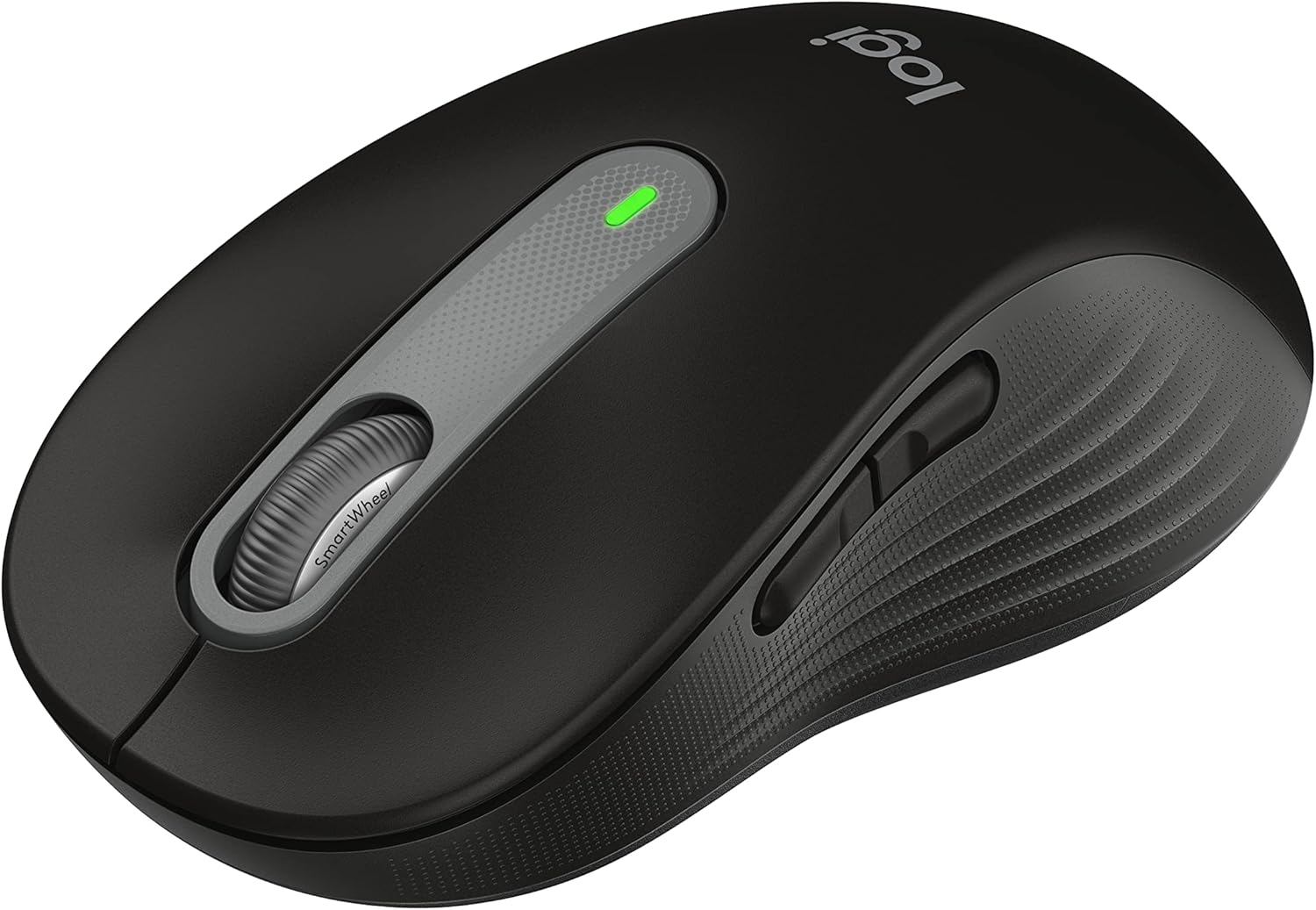
The Logitech Signature M650 is a quiet, battery-powered wireless mouse sized for small to medium hands. It suits office and home workers who want silent clicks, flexible connections, and very little battery maintenance.
Check the current price on Amazon
We may earn a commission at no extra cost to you.
What stands out
- SmartWheel switches between precise and fast scrolling
- SilentTouch rated for 90 percent less click noise
- Connects via Bluetooth Low Energy or Logi Bolt receiver
- Up to 24 months on one included AA battery
- Works with Windows, macOS, Linux, ChromeOS, iPadOS, Android
- 4.6/5 average across more than 5,800 Amazon ratings
Trade-offs to know
- Sized for small to medium hands only
- Uses disposable AA battery, not a rechargeable cell
- Side-button remapping requires Windows or macOS
- No sensor resolution listed for precision or gaming buyers
Key Specifications
| Brand | Logitech |
|---|---|
| Color | Black |
| Connectivity Technology | Bluetooth, Radio Frequency |
| Special Feature | Lightweight, Portable, Soundless, Wireless |
| Movement Detection Technology | Optical |
| Connectivity | Bluetooth Low Energy, Logi Bolt USB receiver |
| Sensor | Optical |
| Power | 1 x AA battery (included) |
| Battery life | Up to 24 months (manufacturer claim) |
| Click noise | SilentTouch, 90% quieter clicks (manufacturer claim) |
| Scroll wheel | SmartWheel, line-by-line and fast-scroll modes |
| Programmable buttons | Side buttons via Logi Options+ (Windows, macOS) |
| Compatibility | Windows, macOS, Linux, ChromeOS, iPadOS, Android |
| Hand size | Small to medium |
| Recycled plastic | 64% post-consumer recycled (Graphite/Black) |
Who It's For
The spec sheet points to an everyday productivity mouse. The SmartWheel switches between line-by-line scrolling for documents and fast free scrolling for long web pages, so you aren't stuck with one mode. Logitech's SilentTouch technology is rated for 90 percent less click noise, which matters if you share an office, take calls, or work next to someone sleeping. Rubber side grips and a soft thumb area are meant to keep your hand settled through long sessions.
Connection is flexible. You can pair over Bluetooth Low Energy or use a Logi Bolt USB receiver. Compatibility covers Windows, macOS, Linux, ChromeOS, iPadOS, and Android, and the mouse is Works with Chromebook certified. Power comes from a single AA battery, which is included, and Logitech claims up to 24 months of use. The two side buttons can be remapped to shortcuts like copy and paste in Logi Options+, but that software runs only on Windows and macOS.
This mouse is clearly right for you if you have small to medium hands and spend your day in documents, spreadsheets, and browsers. It also fits households or offices that run a mix of operating systems. Buyer sentiment is strong: it holds a 4.6 out of 5 average across more than 5,800 Amazon ratings.
Skip this version if you have larger hands. Logitech notes that other sizes and a left-handed option exist, so check those listings first. If you would rather recharge than swap batteries, look for a mouse with a built-in rechargeable cell. If you game or need precise control for detailed design work, the listing gives no sensor resolution figures, so a dedicated gaming or precision mouse with published specs is a safer choice.
Bottom Line
The Signature M650 is a sensible pick if you have small to medium hands and want a quiet, low-maintenance mouse for office work across several devices or operating systems. It is not the right choice if you have large hands, want a rechargeable mouse, or need a sensor built for gaming.
Our guides use published specifications and Amazon listing information, with AI assistance in research and drafting. We do not conduct hands-on testing. Amazon customer ratings are not our own scores. Prices and availability change frequently — always confirm on Amazon before buying.
Compared in these guides
See how this stacks up against the alternatives.
Logitech M650 vs. Seenda Vertical Mouse: Connectivity Compared
Logitech M650 vs HP X3000: Mouse Connectivity Compared
Logitech M650 vs AOC Mouse: Which Fits Your Hand?
Logitech M650 vs Lenovo 530: Mouse Connectivity Compared
Logitech M650 vs M330: Bluetooth and USB Connectivity Compared
More Keyboards & Mice Product Research

Logitech Left Handed Lift Vertical Ergonomic Wireless Mouse - Graphite
Amazon customer rating
The Logitech Lift Left is a wireless vertical mouse built for left-handed users with small to medium hands. It suits you if you mouse all day and want a more upright wrist position without switching to your right hand.

Wireless Bluetooth Mouse, Rechargeable Computer Mouse, Rose Gold
Amazon customer rating
A rechargeable rose gold wireless mouse that connects over Bluetooth or a 2.4GHz USB receiver and has silent clicks and RGB lighting. It suits students, home users, and office workers who want a quiet, good-looking mouse they can move between two devices.

Lenovo Yoga Pro Mouse, Bluetooth, USB-C Rechargable, Dual Mode Bluetooth, 6 Button, Right Handed Design, Ergonomic Design, Programmable Buttons, 2-Way Metal Scroll Wheel, Tidal Teal
Amazon customer rating
The Lenovo Yoga Pro Mouse is a full-size, USB-C rechargeable Bluetooth mouse that pairs with two devices and has six programmable buttons. It suits laptop users who switch between two machines and want quiet clicks for office work.

seenda Wireless Trackball Mouse, Ergonomic Bluetooth Mouse,Black&Red
Amazon customer rating
The seenda Wireless Trackball Mouse is a full-size, thumb-operated trackball that connects to up to three devices over Bluetooth or a 2.4GHz USB receiver. It suits office workers with medium to large hands who want to stop dragging a mouse across the desk and who switch between several machines.