Best 4K Monitors for Accurate Color in Photo Editing
If you're editing photos, the number that matters most isn't refresh rate or curve radius, it's how faithfully the panel reproduces color, and how much resolution you have to check fine detail at 100%. A 4K IPS panel with wide gamut coverage and a low Delta E rating will show you skin tones, gradients, and shadow detail closer to what your camera actually captured than a standard office monitor will.
The options below all use IPS or IPS-variant panels at 3840x2160, since that resolution and panel type combination is the baseline for serious photo work. From there they split by what buyers actually need: some want factory-verified accuracy above everything else, some want a single USB-C cable to a laptop, and some want more screen real estate to work with multiple palettes and panels open at once.
They're ranked by how directly their specs support color-critical editing, with connectivity and ergonomics as tiebreakers since those affect how usable the monitor is during long retouching sessions.
We may earn a commission at no extra cost to you.

INNOCN 27" 4K USB-C Monitor for Laptop MacBook/Mac mini - 16:9 IPS 3840 x 2160 Display, HDR400, DeltaE<2, DisplayPort, HDMI PC Monitor, 1.07B+ Colors, Built-in Speakers, Adjustable Stand, Black
This is the only pick in the group with a Delta E under 2 stated directly alongside its 4K IPS panel, which is the clearest published signal of out-of-box color accuracy for anyone retouching photos before calibration.
- +Single USB-C cable can carry video, data, and power
- +DeltaE under 2 supports accurate color work
- +27-inch 4K IPS panel with wide viewing angle
- −No DVI or VGA ports for older hardware
- −HDR400 is entry-level, not full HDR performance
Dell UltraSharp U2723QE 27" 4K USB-C Hub Monitor
IPS Black tech pushes contrast to 2000:1, well above standard IPS, so shadow detail and depth read more accurately in edited images, and the built-in USB-C hub with Ethernet keeps a single-monitor editing desk fully wired without extra docks.
- +IPS Black panel with 2000:1 contrast
- +Full USB-C hub with 90W power delivery
- +Built-in gigabit Ethernet
- −60Hz only — not for competitive gaming
- −Speakers not included

LG 27UP650K-W 27-inch Ultrafine 4K UHD (3840 x 2160) IPS Computer Monitor, 60Hz, 5ms, DisplayHDR 400, Reader Mode, Flicker Safe, HDMI, DisplayPort, Tilt/Height/Pivot Adjustable Stand, White | Reader Mode, HDMI, DisplayPort, 60Hz, DisplayHDR 400, (3840 x 2160), 5ms, Flicker Safe, Tilt/Height/Pivot Adjustable Stand
95% DCI-P3 coverage and a matte, pivot-adjustable screen give you accurate, glare-controlled color at a 4K IPS level without the USB-C hub premium, a solid entry point for editors on a tighter budget.
- +27-inch 4K IPS panel with up to 95% DCI-P3 coverage
- +DisplayHDR 400 certified for expanded brightness and contrast
- +Tilt, height, and pivot adjustable ergonomic stand
- −60Hz refresh rate limits fast-motion and competitive gaming
- −5ms response time is average, not built for speed

LG 27UP850K-W 27-inch Ultrafine 4K UHD IPS Monitor, White | 60Hz, DisplayHDR 400, USB Type-C 90W PD, Tilt/Height/Pivot Adjustable Stand, Built-in Speaker
Same 95% DCI-P3 coverage as the 27UP650K-W, but adds 90W USB-C power delivery, so a laptop-based editing workflow runs on one cable for video, data, and charging.
- +90W USB-C powers a laptop with a single cable
- +95% DCI-P3 color gamut suits color-sensitive work
- +Height, tilt, and pivot adjustable stand
- −60Hz refresh rate limits fast-paced gaming
- −DisplayHDR 400 is an entry-level HDR tier
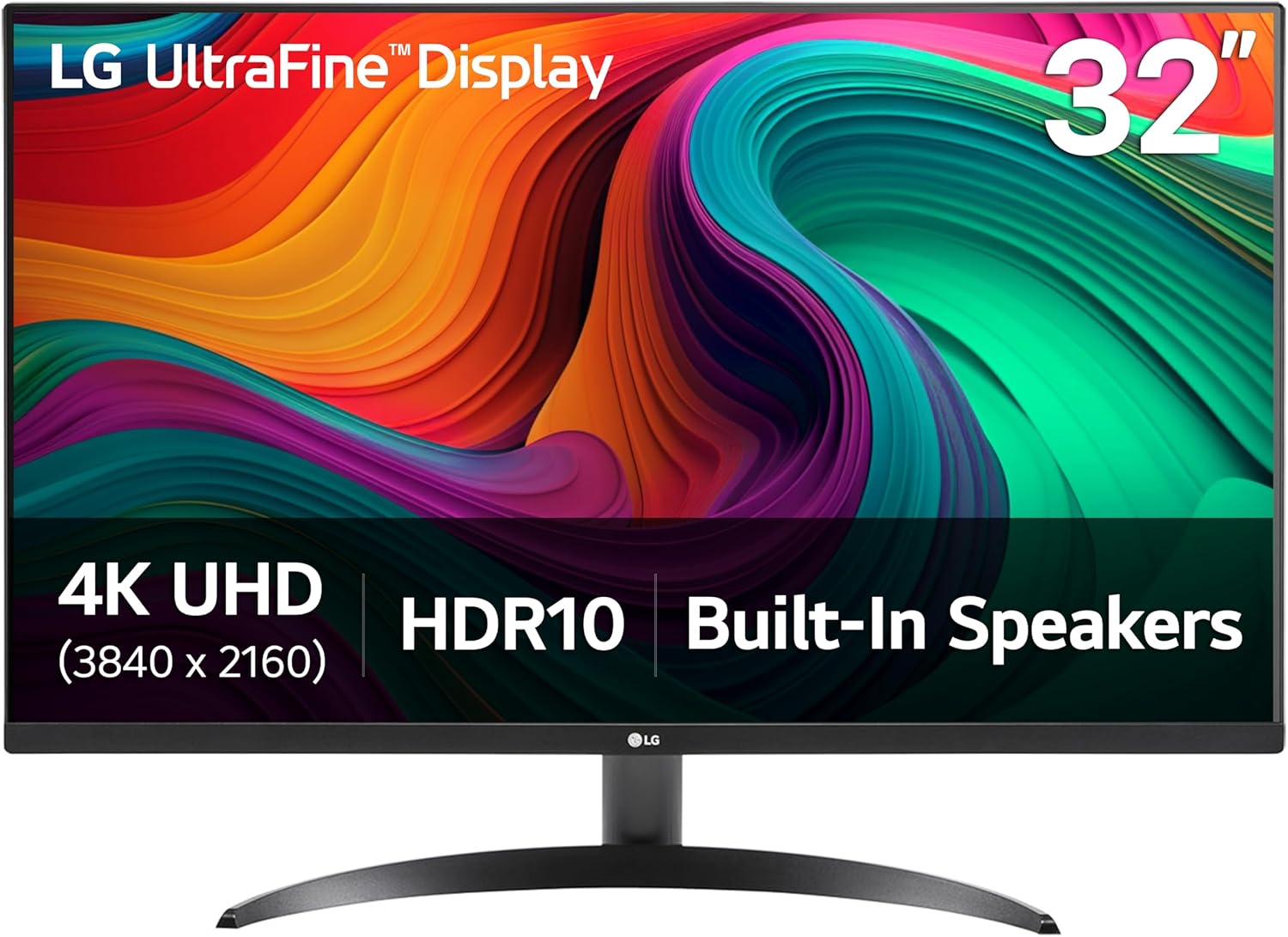
LG 32UR500K-B Ultrafine 32-inch 4K UHD (3840x2160) Computer Monitor HDR10 Built-in Speaker x2 OnScreen Control Reader Mode Flicker Safe Borderless Design HDMIx2 DisplayPort Black
32 inches of 4K real estate at 90% DCI-P3 gives more room to work with toolbars, histograms, and multiple reference images open next to the photo you're editing, useful for anyone who finds 27 inches cramped.
- +4K UHD resolution with up to 90% DCI-P3 color gamut
- +HDR10 support for supported movies and games
- +Built-in MaxxAudio stereo speakers save desk space
- −Stand only tilts, no height, swivel, or pivot listed
- −No refresh rate or response time specified

Dell 27 Monitor S2725QC, 4K UHD IPS, 120Hz, 99% sRGB, 4ms, FreeSync Premium | 3840x2160, 163 PPI, USB-C, HDMI, DisplayPort, Anti-Glare, Eye Comfort Technology, LED Edgelight System
163 PPI keeps detail sharp for pixel-level retouching, and the 120Hz panel with USB-C docking makes sense if photo editing shares desk time with general work or light gaming, though its color spec is confirmed only at 99% sRGB, narrower than the DCI-P3 picks above.
- +163 PPI delivers sharp text and fine detail
- +120Hz with FreeSync Premium smooths motion
- +Single USB-C cable with 65W power delivery
- −Only sRGB coverage confirmed, no wider gamut listed
- −Stand adjustability not specified in listing
What to look for
For photo editing, prioritize two numbers over everything else: percentage of DCI-P3 (or Adobe RGB, if listed) color gamut covered, and Delta E rating if the manufacturer publishes one. Delta E under 2 means the color deviation from true reference values is small enough that most eyes can't detect it, which is the standard professional calibration houses aim for. Gamut coverage in the 90-95%+ DCI-P3 range means the panel can actually display the wider range of colors modern cameras capture, not just the narrower sRGB space. HDR certification tiers like DisplayHDR 400 are a nice-to-have for watching content but don't meaningfully affect editing accuracy, so don't let that spec break a tie.
Panel type matters too: IPS panels hold color and brightness consistent across wider viewing angles than VA panels, which matters when you're leaning in to check a shadow area or sharing the screen with a client. A matte anti-glare coating is worth more than it sounds for editing, since glossy screens can shift your perception of contrast and black levels under overhead light. Refresh rate and response time, the specs gaming monitors lead with, are close to irrelevant here — a 60Hz panel edits photos exactly as well as a 165Hz one.
This guide is compiled from manufacturer specifications and aggregated customer feedback on Amazon, with AI assistance in drafting. We have not personally tested every product listed. Prices and availability change frequently — always confirm on Amazon before buying.