Best 4K USB-C Hub Monitors for a MacBook Pro
Searching for a "4K monitor with USB-C hub" usually means one thing: you want a single cable that carries video, data, and enough power to charge a MacBook Pro, without a separate charger or a pile of dongles on the desk. That narrows the field fast, because plenty of 4K monitors on this list only have HDMI and DisplayPort, which means your MacBook Pro still needs its own charging brick.
What actually separates the options here is the USB-C spec behind the port, not just its presence. Power Delivery wattage, whether there's a built-in USB hub for peripherals, and how the stand adjusts for a MacBook Pro's typically low desk placement all matter more than marketing copy about "4K."
The picks below were narrowed to monitors that specifically list USB-C with power delivery and enough resolution to match a Mac's HiDPI scaling, then ranked by how complete that single-cable setup is for a MacBook Pro user.
We may earn a commission at no extra cost to you.
Dell UltraSharp U2723QE 27" 4K USB-C Hub Monitor
This monitor pairs a 4K IPS Black panel with a full USB-C hub, including 90W power delivery and built-in gigabit Ethernet, so a MacBook Pro can charge, get wired internet, and drive the display through one cable. Factory-calibrated color is a bonus for anyone doing photo or video work on the side.
- +IPS Black panel with 2000:1 contrast
- +Full USB-C hub with 90W power delivery
- +Built-in gigabit Ethernet
- −60Hz only — not for competitive gaming
- −Speakers not included

LG 27UP850K-W 27-inch Ultrafine 4K UHD IPS Monitor, White | 60Hz, DisplayHDR 400, USB Type-C 90W PD, Tilt/Height/Pivot Adjustable Stand, Built-in Speaker
With 90W USB-C PD, dual HDMI, DisplayPort, and dual USB 3.0, this LG covers a MacBook Pro plus extra peripherals without an external hub. The height, tilt, and pivot stand also makes it easier to get the screen to eye level than fixed-tilt alternatives.
- +90W USB-C powers a laptop with a single cable
- +95% DCI-P3 color gamut suits color-sensitive work
- +Height, tilt, and pivot adjustable stand
- −60Hz refresh rate limits fast-paced gaming
- −DisplayHDR 400 is an entry-level HDR tier

INNOCN 27" 4K USB-C Monitor for Laptop MacBook/Mac mini - 16:9 IPS 3840 x 2160 Display, HDR400, DeltaE<2, DisplayPort, HDMI PC Monitor, 1.07B+ Colors, Built-in Speakers, Adjustable Stand, Black
Single-cable USB-C connectivity, a DeltaE under 2 rating, and a stand with swivel, height, tilt, and pivot give this INNOCN most of what the pricier options offer, aimed at buyers who want accurate color on a MacBook Pro without paying for extras like Ethernet.
- +Single USB-C cable can carry video, data, and power
- +DeltaE under 2 supports accurate color work
- +27-inch 4K IPS panel with wide viewing angle
- −No DVI or VGA ports for older hardware
- −HDR400 is entry-level, not full HDR performance

Dell 27 Monitor S2725QC, 4K UHD IPS, 120Hz, 99% sRGB, 4ms, FreeSync Premium | 3840x2160, 163 PPI, USB-C, HDMI, DisplayPort, Anti-Glare, Eye Comfort Technology, LED Edgelight System
This Dell adds 120Hz and FreeSync Premium on top of 4K resolution and USB-C with 65W power delivery, useful for anyone who wants smoother scrolling and motion alongside sharp text, not just a static productivity screen for a MacBook Pro.
- +163 PPI delivers sharp text and fine detail
- +120Hz with FreeSync Premium smooths motion
- +Single USB-C cable with 65W power delivery
- −Only sRGB coverage confirmed, no wider gamut listed
- −Stand adjustability not specified in listing
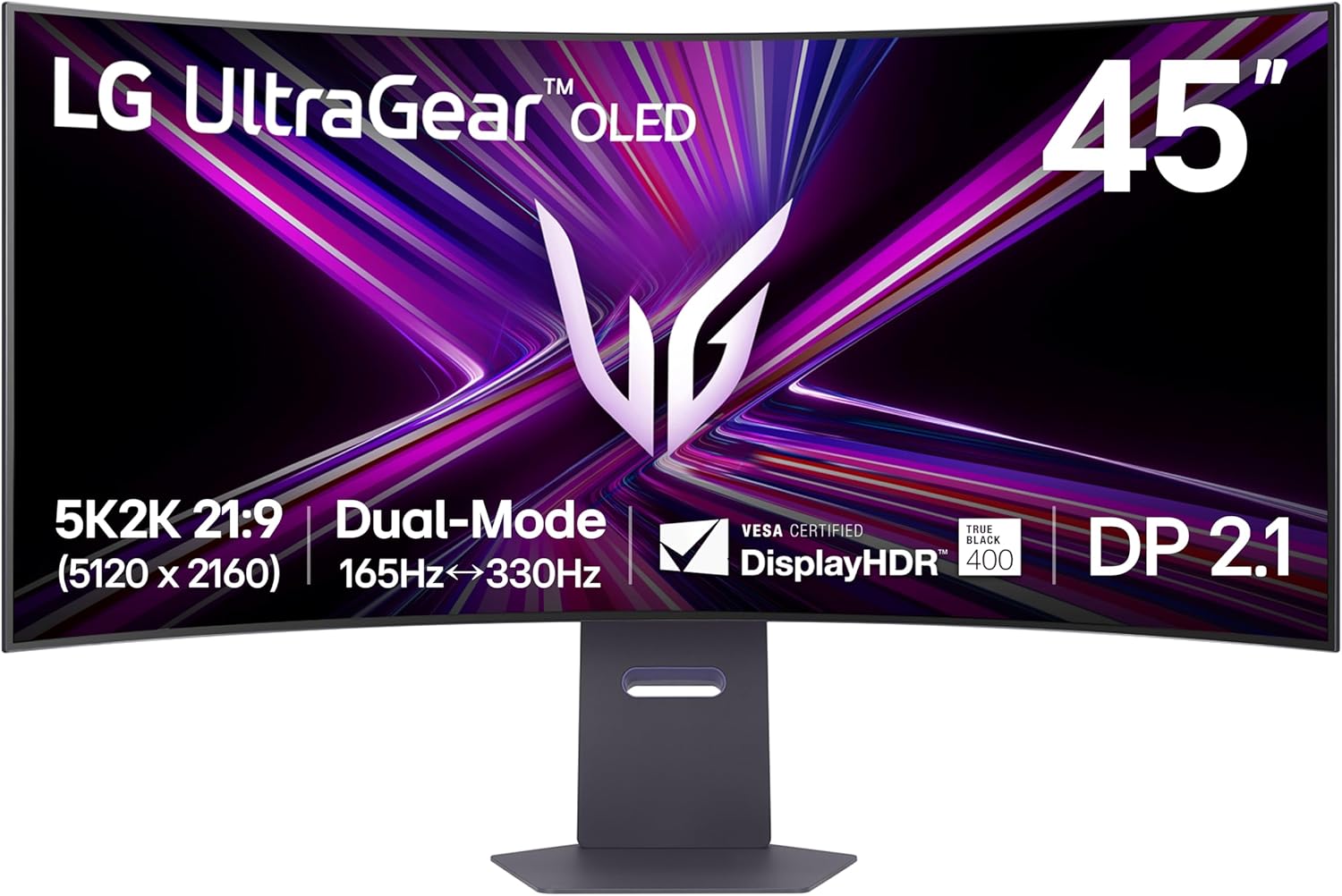
LG 45GX950A-B 45-inch Ultragear 5K2K WUHD (5120 x 2160) OLED Curved Gaming Monitor, Dual-Mode, 165Hz, 0.03ms, NVIDIA G-Sync, AMD FreeSync Premium Pro, HDR True Black 400, USB Type-C 90W, DP2.1
For MacBook Pro owners who want more than a standard 27-inch 4K screen, this 45-inch 5120x2160 curved OLED offers 90W USB-C charging plus far more horizontal workspace, at the cost of a gaming-monitor price point and a curve that isn't ideal for spreadsheet-heavy work.
- +5120x2160 resolution with 125 PPI for sharp text and detail
- +Dual Mode switches to 330Hz at lower resolution
- +0.03ms GtG response time for minimal ghosting
- −Requires a high-end GPU to use full 5K2K resolution
- −OLED panels carry inherent burn-in risk with static content
What to look for
The number to actually compare is USB-C Power Delivery wattage, not just the presence of a USB-C port. A 14-inch MacBook Pro can run comfortably on 65W, but a 16-inch model under heavy load benefits from 90W or higher; anything lower still works, it just means the laptop battery may slowly drain during intensive tasks even while plugged into the monitor. Also check whether the monitor lists a built-in USB hub (extra USB-A or USB-C downstream ports) — that's what actually lets you cut the cable clutter, since a keyboard, mouse, and external drive can plug into the monitor instead of the laptop.
Resolution and stand adjustability matter too. A 27-inch 4K panel is the sweet spot for matching macOS's default HiDPI scaling without needing to manually adjust text size, and a stand with height and pivot adjustment matters more than it sounds, since MacBook Pro screens sit low and a fixed-tilt-only stand often forces an awkward neck angle for all-day use.
This guide is compiled from manufacturer specifications and aggregated customer feedback on Amazon, with AI assistance in drafting. We have not personally tested every product listed. Prices and availability change frequently — always confirm on Amazon before buying.