Ergonomic Keyboard and Mouse Picks for Switching Between Computers
This search is really about two things at once: hardware that eases wrist and hand strain over a full workday, and hardware that can hop between a work laptop, a home desktop, and maybe a tablet without re-pairing every time. Those two needs don't always come from the same product, so a lot of the pool splits into vertical mice built for comfort and keyboards built for multi-device switching, with only a few true combos doing both.
What separates the options here is mainly connection architecture and hand fit. A mouse that only offers one Bluetooth channel and a USB receiver isn't the same as one that stores three device profiles and lets you toggle with a button. Keyboards vary too, from full split designs that force a new typing posture to curved "wave" layouts that ease you in gradually.
The picks below favor products with documented multi-device switching (stated device counts, Easy-Switch, dual Bluetooth/2.4G modes) paired with a clear ergonomic angle or split spec, so you're not guessing whether a product actually does what this query is asking for.
We may earn a commission at no extra cost to you.
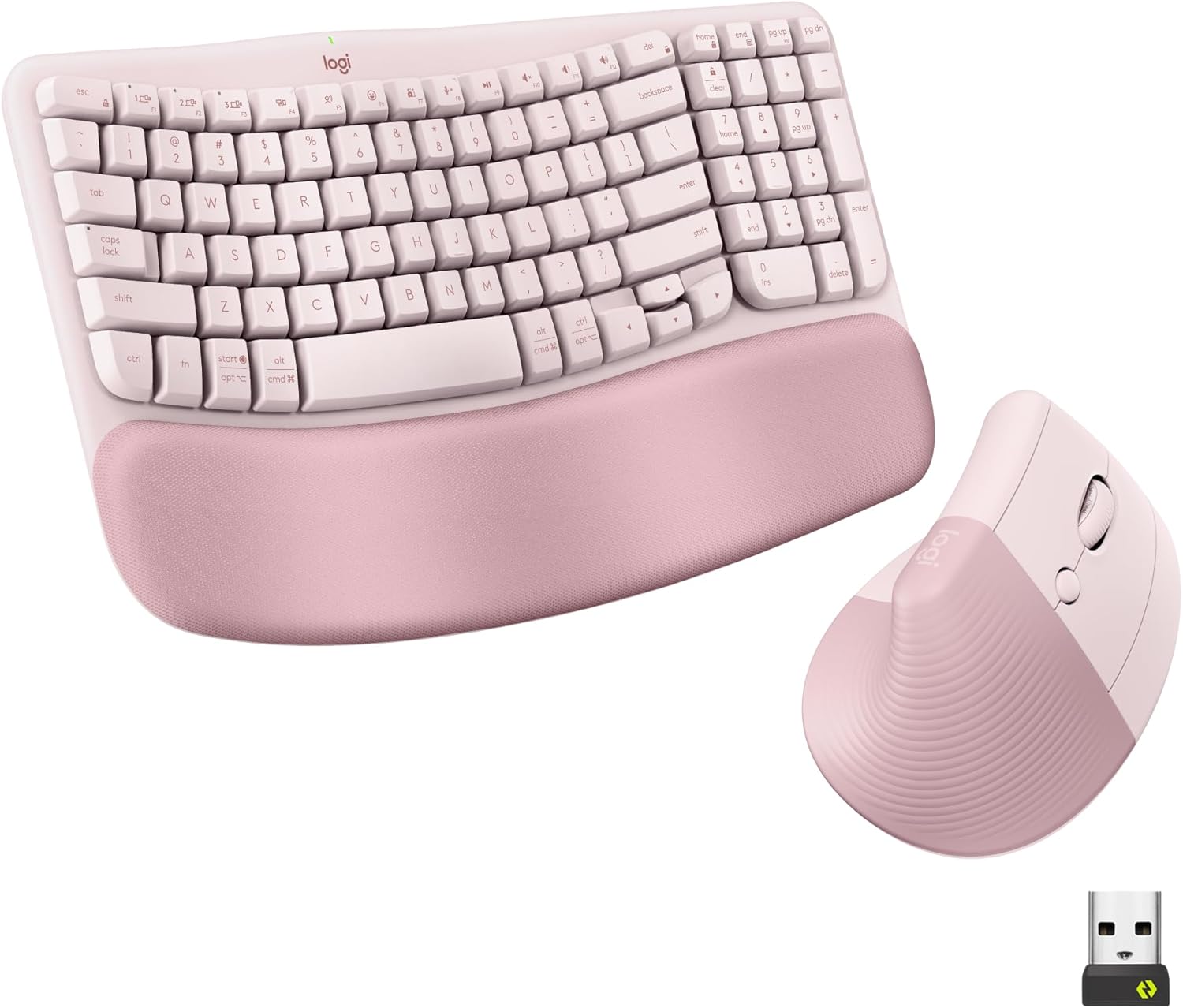
Logitech Wave Keys Keyboard & Lift Mouse Ergonomic Combo - Rose | Cushioned Palm Rest, wireless, Bluetooth, Easy-Switch, Multi-OS, Windows/Mac
This is one of the few true keyboard-and-mouse sets in the pool built specifically for ergonomics and multi-device use, pairing a cushioned wave keyboard with the vertical Lift mouse, both switching through Bluetooth or the Logi Bolt receiver.
- +Cushioned memory foam palm rest for wrist support
- +Bluetooth and Logi Bolt receiver support multi-device switching
- +Vertical mouse angle reduces forearm rotation strain
- −Lift mouse sized for small to medium hands only
- −No wired connection option for low-latency use

Logitech Ergo K860 Wireless Ergonomic Split Keyboard with Wrist Rest | Curved split keyframe, pillowed wrist rest, Bluetooth, USB connectivity with included USB Receiver, Windows Mac compatible
For anyone whose main problem is keyboard-driven strain, the Ergo K860's full split layout and three tilt-leg angles go further than a curved keyboard, and it still connects via Bluetooth or USB receiver so you can pair it to more than one machine.
- +Split, curved layout designed to ease wrist strain
- +Three tilt-leg angles including negative tilt options
- +Attached memory foam wrist rest, nothing to misplace
- −Fixed split, not a fully separable two-piece keyboard
- −No per-key backlighting, only single-color options
Logitech Lift Vertical Ergonomic Mouse
The Lift mouse pairs with up to three devices over Bluetooth or Logi Bolt, and buyers consistently point to it as comfortable for smaller grips, making it a natural add-on to any of the keyboards here if you skip the bundled 129 combo.
- +Excellent ergonomic comfort for small-to-medium hands
- +Nearly silent clicks
- +Pairs with up to 3 devices (Bluetooth + Logi Bolt)
- −Not ideal for large hands (get the MX Vertical instead)
- −No rechargeable battery

Logitech Mouse MX Vertical, 910-005448
The MX Vertical's 57-degree grip and support for Bluetooth, USB receiver, or RF gives larger-handed users a way to switch connection modes across computers, backed by a much larger ratings base than most other vertical mice in this pool.
- +Vertical, adjustable angle designed to reduce wrist strain
- +Connects via Bluetooth, USB receiver, or RF
- +Rated 4.6/5 across over 13,700 Amazon ratings
- −Vertical shape is a change from standard mouse grips
- −No DPI or button count listed in the specs

UGREEN Vertical Mouse, Wireless Bluetooth Ergonomic Mouse, Dual-Mode (BT 5.4 & USB 2.4G), Quiet Clicks, 4 Adjustable DPI (1000/1600/2000/4000), Compatible with Windows/Mac/Linux/Android/ChromeOS
UGREEN's mouse explicitly switches across three devices using dual Bluetooth and 2.4G modes, giving multi-computer switching at a lower tier than the Logitech options, with a vertical grip aimed at the same wrist-strain goal.
- +Vertical grip reduces wrist rotation for long sessions
- +Dual Bluetooth and 2.4G connection, switches across 3 devices
- +4 DPI levels from 1000 to 4000 for different tasks
- −Runs on a single AA battery, not a rechargeable cell
- −No wired mode or listed polling rate for gaming use

Logitech Wave Keys Wireless Ergonomic Keyboard - Graphite | Cushioned palm rest, comfortable natural typing, Easy-Switch, Bluetooth, Logi Bolt receiver, for multi-OS Windows/Mac
If you already have a mouse you like, Wave Keys on its own still gives Easy-Switch across three devices and a wave-shaped, palm-rested layout, which is the multi-device piece this query is asking for without committing to a bundled mouse.
- +Wave shape and palm rest target wrist strain directly
- +Easy-Switch supports up to three devices at once
- +Works across Windows, macOS, iPadOS, and ChromeOS
- −Membrane switches lack tactile or mechanical key feel
- −Receiver is USB-A only, no USB-C option
What to look for
The spec that matters most for this query isn't DPI or switch type, it's how many devices the keyboard or mouse can store and switch between, and how you switch. Look for an explicit number (2 or 3 devices is typical) and a stated method, like Logitech's Easy-Switch button or a dual Bluetooth/2.4G mode that lets you flip a physical toggle. Products that only list "Bluetooth and USB receiver" without a device count usually mean you're re-pairing manually every time you switch computers, which defeats the purpose.
For the ergonomic half, hand size matters more than grip angle on paper. A 57-degree vertical mouse built for small-to-medium hands will feel cramped in a large hand regardless of how good the angle is, and the reverse is true for a mouse sized for larger grips. Match the stated hand-size guidance to your own hand before angle, DPI range, or button count.
This guide is compiled from manufacturer specifications and aggregated customer feedback on Amazon, with AI assistance in drafting. We have not personally tested every product listed. Prices and availability change frequently — always confirm on Amazon before buying.