Best Bluetooth Keyboard and Mouse Pairings for a MacBook
Most keyboard-and-mouse combos on Amazon are built and tested for Windows first, with Mac support listed almost as an afterthought. That matters here, because a combo that ships with only Windows keycaps or loses half its buttons on macOS is a bad match no matter how good the specs look on paper.
The products below were chosen for confirmed Bluetooth connectivity and stated macOS or Mac compatibility, either as a matched keyboard-and-mouse set or as pieces worth buying together. Some are true combos sold as one box. Others are a keyboard and a mouse from the same ecosystem that pair cleanly and switch devices the same way, which is often the more practical route since genuine Bluetooth combos built with Mac in mind are limited.
Ranking weighed three things: whether Bluetooth is native (not just a 2.4GHz dongle relabeled as wireless), whether Mac compatibility is stated outright rather than implied, and what buyers report about real-world pairing and button behavior on macOS.
We may earn a commission at no extra cost to you.
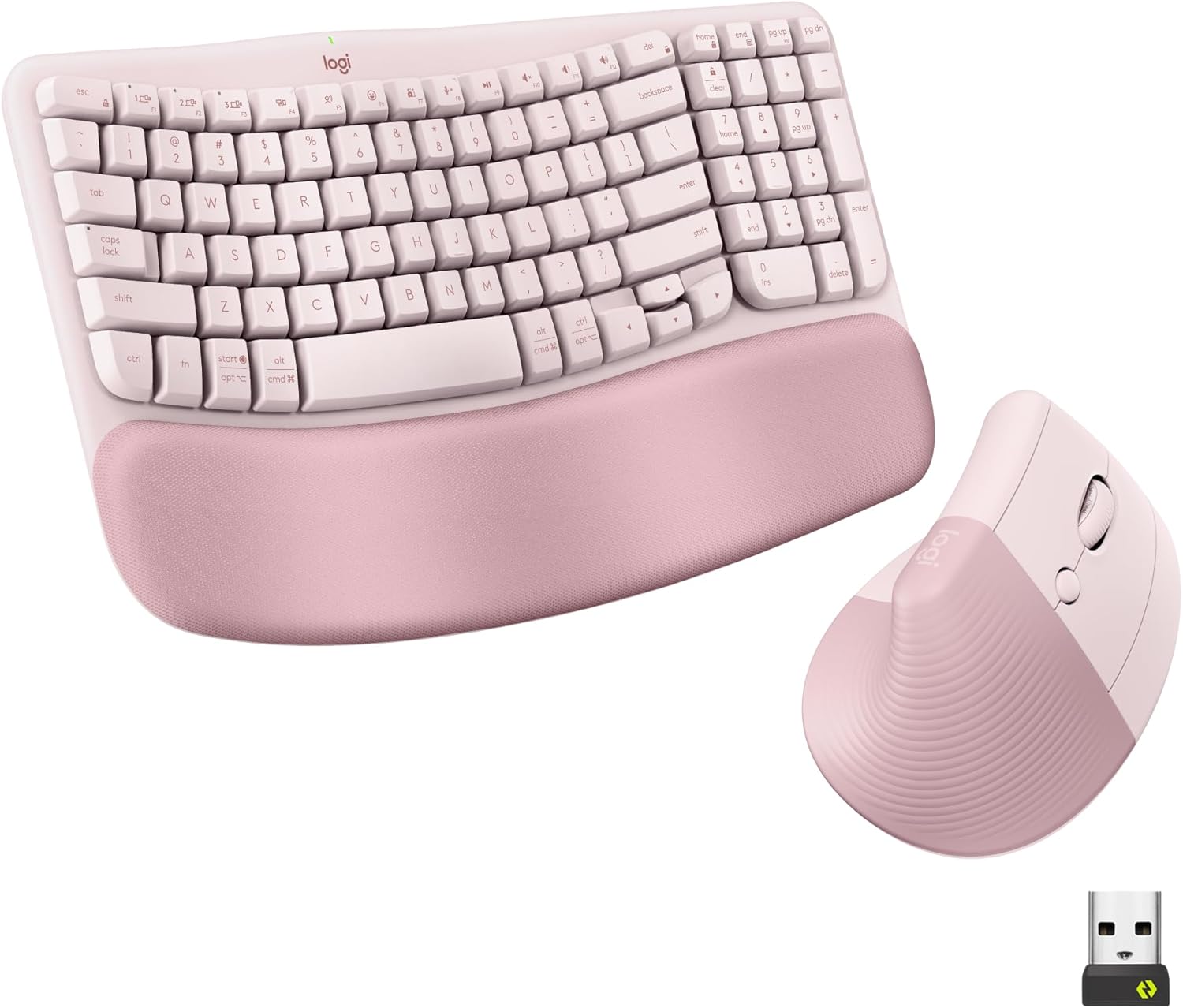
Logitech Wave Keys Keyboard & Lift Mouse Ergonomic Combo - Rose | Cushioned Palm Rest, wireless, Bluetooth, Easy-Switch, Multi-OS, Windows/Mac
This is the rare item in the pool actually sold as a matched keyboard-and-mouse set with Bluetooth and explicit Mac support, pairing a cushioned wave keyboard with the Lift vertical mouse under one Easy-Switch system. Best fit for anyone who wants a single purchase rather than assembling a pair themselves.
- +Cushioned memory foam palm rest for wrist support
- +Bluetooth and Logi Bolt receiver support multi-device switching
- +Vertical mouse angle reduces forearm rotation strain
- −Lift mouse sized for small to medium hands only
- −No wired connection option for low-latency use
Keychron K8 Pro Wireless Mechanical Keyboard
The K8 Pro ships with Mac keycaps included, a detail most mechanical boards skip, and connects over Bluetooth alongside wired and 2.4GHz modes. Right pick for anyone who wants real mechanical key feel on a MacBook setup rather than a membrane keyboard.
- +Hot-swappable switches, no soldering needed
- +Full QMK/VIA programmability
- +Mac & Windows keycaps included
- −Tall profile — a wrist rest is recommended
- −Heavier than typical office keyboards

Logitech Mouse MX Vertical, 910-005448
Logitech states this mouse works with both Mac and Windows, connects over Bluetooth or a USB receiver, and carries the strongest rating volume in the pool at over 13,700 ratings. Good match to pair with either keyboard above for long desk sessions.
- +Vertical, adjustable angle designed to reduce wrist strain
- +Connects via Bluetooth, USB receiver, or RF
- +Rated 4.6/5 across over 13,700 Amazon ratings
- −Vertical shape is a change from standard mouse grips
- −No DPI or button count listed in the specs

Logitech Ergo K860 Wireless Ergonomic Split Keyboard with Wrist Rest | Curved split keyframe, pillowed wrist rest, Bluetooth, USB connectivity with included USB Receiver, Windows Mac compatible
The Ergo K860 lists macOS in its stated compatibility alongside Windows, Linux, and Chrome OS, and connects over Bluetooth or its included receiver. Built for anyone who types for hours and wants a curved, wrist-rested layout rather than a flat keyboard.
- +Split, curved layout designed to ease wrist strain
- +Three tilt-leg angles including negative tilt options
- +Attached memory foam wrist rest, nothing to misplace
- −Fixed split, not a fully separable two-piece keyboard
- −No per-key backlighting, only single-color options
Logitech Lift Vertical Ergonomic Mouse
Pairs with up to three devices over Bluetooth and Logi Bolt, which suits a MacBook-plus-iPad workflow, and its vertical grip targets wrist strain without the bulk of the MX Vertical. Best for smaller to medium hand sizes specifically.
- +Excellent ergonomic comfort for small-to-medium hands
- +Nearly silent clicks
- +Pairs with up to 3 devices (Bluetooth + Logi Bolt)
- −Not ideal for large hands (get the MX Vertical instead)
- −No rechargeable battery
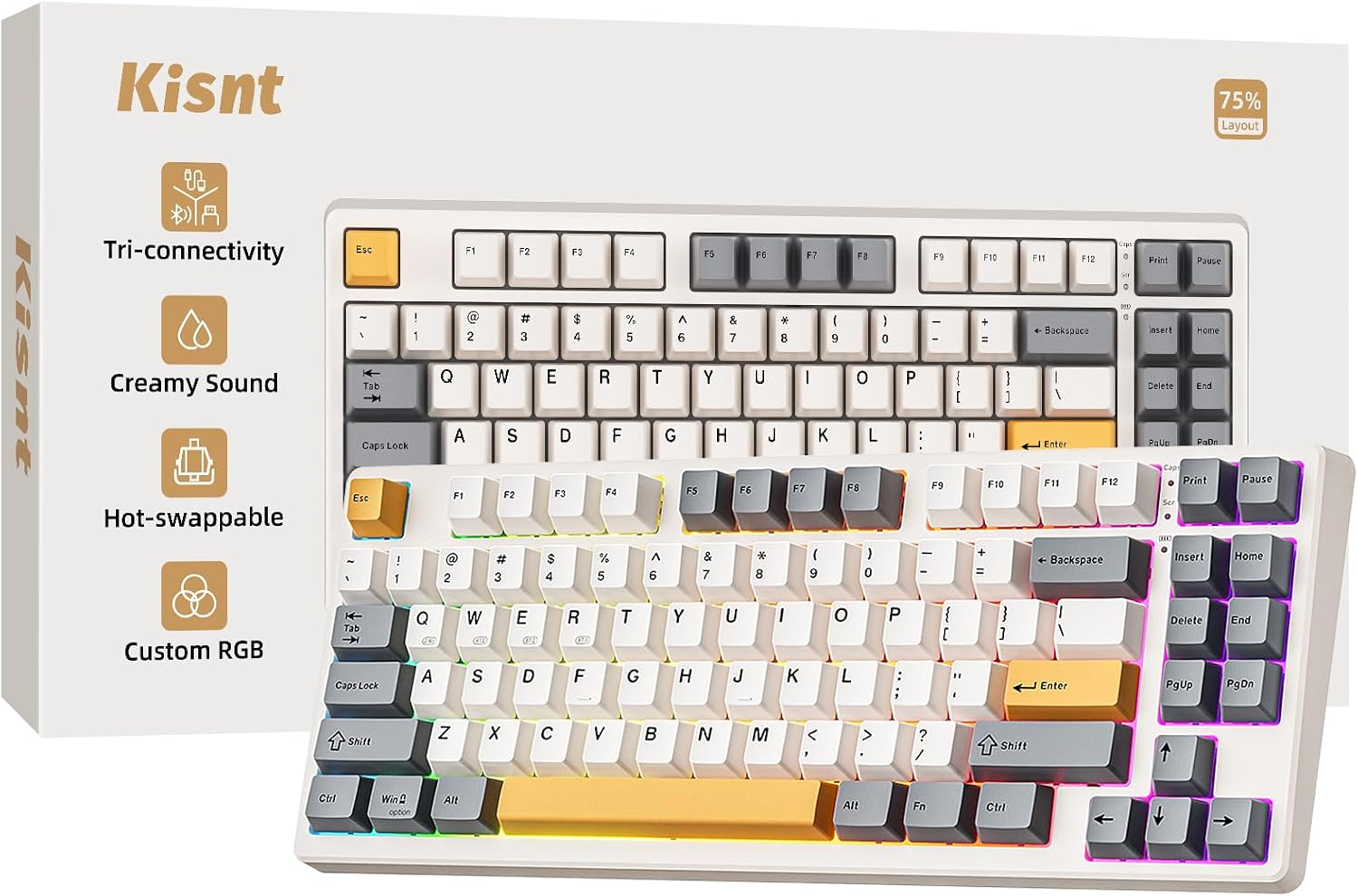
Kisnt KN85 Wireless Mechanical Keyboard, 75% Layout, Bluetooth/2.4GHz/USB-C, Custom RGB Backlit, Hot-Swappable Linear Switch, Creamy Sound for Gaming/Typing (Retro Beige)
Tri-mode connectivity includes Bluetooth alongside 2.4GHz and USB-C, and the 75% layout keeps arrow keys in a smaller footprint for a MacBook desk setup. Note that RGB customization software is Windows-only, so buy this one for the typing feel, not the lighting control.
- +75% layout saves desk space, keeps arrows and shortcuts
- +Hot-swappable 3/5 pin sockets for switch customization
- +Tri-mode connectivity with low stated latency across all three
- −RGB driver and software support Windows only
- −Fast chargers may damage the keyboard per manufacturer warning
What to look for
Two specs matter more than anything else for this search. First, confirm the connection is actual Bluetooth, not just a 2.4GHz USB receiver marketed as "wireless." A MacBook has no place to stash a receiver dongle, so anything that leans on one is a worse fit even if the listing says it works with Mac. Second, check whether the product lists Mac keycaps or a Mac layout specifically. A keyboard built for Windows will still type on a Mac, but command and option keys land in the wrong spots unless the manufacturer ships a Mac-labeled keycap set or a software remap.
On the mouse side, watch for the recurring caveat in buyer feedback: side buttons and extra programmable buttons frequently stop working on macOS even when the mouse pairs fine and left/right click and scroll work normally. If those extra buttons are the reason you're buying a particular mouse, that's worth confirming before you commit. Multi-device switching (Logitech's Easy-Switch or Logi Bolt, for example) is also worth prioritizing if you move between a MacBook and an iPad or a work laptop during the day, since it saves you from re-pairing every time you switch machines.
This guide is compiled from manufacturer specifications and aggregated customer feedback on Amazon, with AI assistance in drafting. We have not personally tested every product listed. Prices and availability change frequently — always confirm on Amazon before buying.