Small Wireless Mice for Petite Hands at the Office
By TechItSpot · Research-based buying guide. Updated 2026-10-16. How we compare products
Quick decision
Start with standard M650 for documented size guidance; try M185 if compact either-hand operation matters more.
Sources checked . This is a comparison of documented features. We have not tested these products.
| Option | Choose it when | Limits to check | Evidence |
|---|---|---|---|
| Logitech Signature M650 Wireless Mouse Small to Medium Sized Hands - Black | A shopper seeking an explicit small-to-medium recommendation. For the standard M650 family/size, Logitech documents small-to-medium hand guidance, SmartWheel scrolling, and Bluetooth Low Energy or a Logi Bolt receiver. |
Exact mapping from ASIN B09KX66ZCD to a manufacturer part number or revision is unconfirmed. The cited documentation supports the standard M650 family/size; its URL part 910-006236 is not a verified Amazon match. Personal fit remains untested. | Logitech standard Signature M650 specifications |
| Logitech M185 Compact Ambidextrous 2.4 GHz Wireless Mouse - Swift Grey | Ambidextrous mouse with 2.4 GHz USB-A Nano Receiver, Optical Tracking, 12-Months Battery Life, PC, Mac, Laptop compatible | A shopper who wants a compact either-hand candidate. For the M185 family, Logitech documents a compact, either-hand shape and supplied USB receiver. Its support page distinguishes multiple hardware revisions. |
Exact mapping from ASIN B004YAVF8I to a manufacturer part number or revision is unconfirmed. The cited documentation supports the M185 family. No precise petite-hand range is established; check the underside model number for revision-specific details. | Logitech M185 product informationLogitech M185 revision specifications |
A small wireless mouse for petite hands at the office should make the controls reachable during ordinary work. Start with Logitech's standard Signature M650, which the manufacturer recommends for small-to-medium hands. The compact M185 is an alternative to try if you prefer an either-hand shape and simple receiver setup. Its compact description alone does not establish a personal fit.
This Amazon affiliate guide compares manufacturer documentation, without hands-on testing. The decision here is about reaching the wheel, main buttons, and any shortcuts you actually use at your desk. A mouse that packs neatly into a bag can still feel wrong during a long document-editing session.
We may earn a commission at no extra cost to you.
The picks
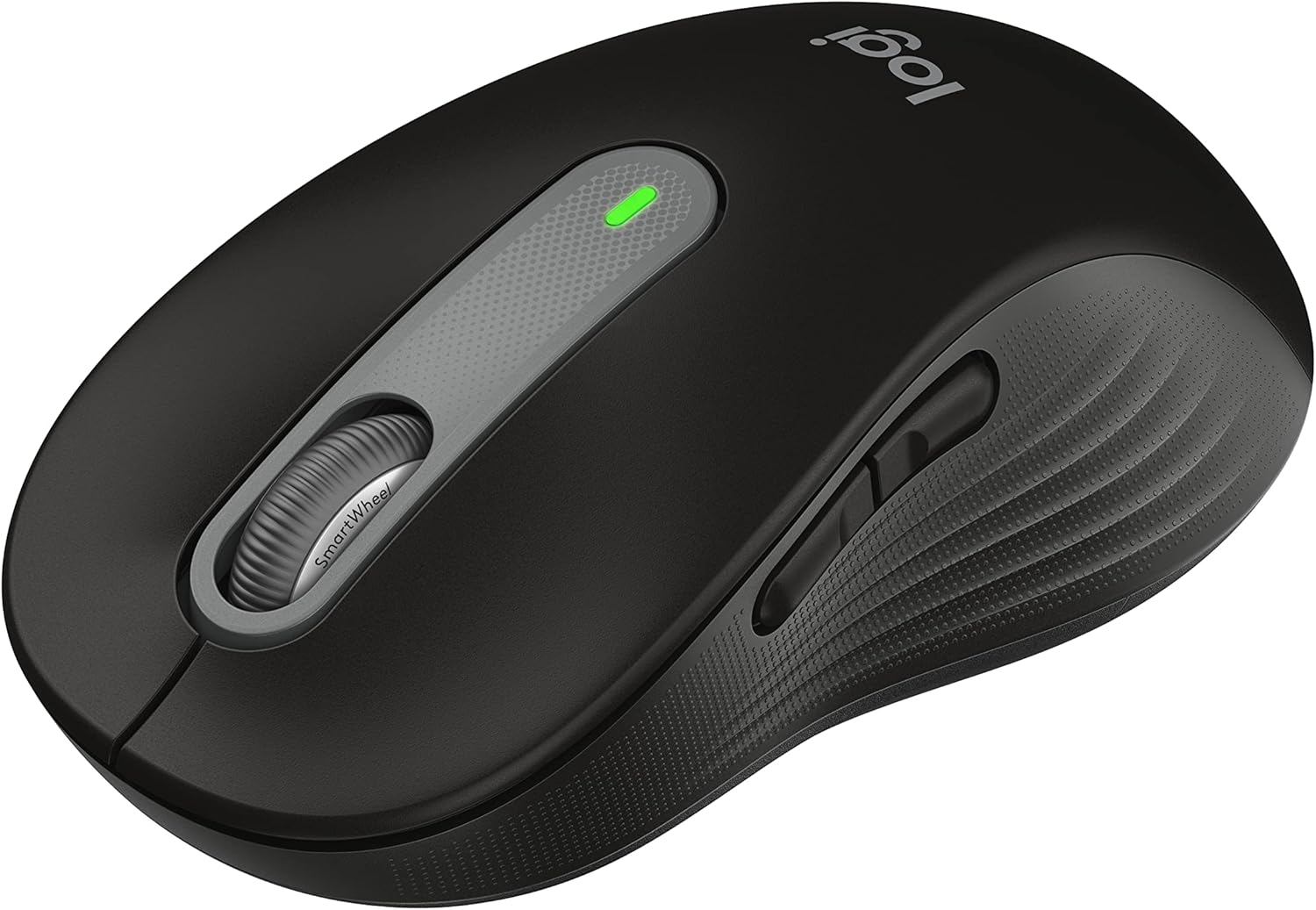
Logitech Signature M650 Wireless Mouse Small to Medium Sized Hands - Black
Logitech explicitly recommends the standard Signature M650 for small-to-medium hands. Choose this size rather than assuming every M650-family listing has the same body.

Logitech M185 Compact Ambidextrous 2.4 GHz Wireless Mouse - Swift Grey | Ambidextrous mouse with 2.4 GHz USB-A Nano Receiver, Optical Tracking, 12-Months Battery Life, PC, Mac, Laptop compatible
M185 offers a compact, ambidextrous shape and USB receiver operation. Treat it as a candidate to try, rather than a verified fit for every petite hand.
Why these models
These catalog titles identify the intended families and size. Exact ASIN-to-manufacturer-part or revision mapping remains unconfirmed for both picks. Order reflects family sizing guidance, not measured comfort.
| Decision | Standard M650 | M185 |
|---|---|---|
| Size evidence | Recommended for small-to-medium hands | Compact; personal fit unverified |
| Shape choice | Check standard size before ordering | Ambidextrous body |
| Connection | Bluetooth LE or Logi Bolt receiver | Supplied USB receiver |
| Trial focus | Reach wheel and side controls | Reach main controls without changing grip |
Check reach using the work you actually do
Logitech's fit guidance asks you to check finger access to the main buttons and wheel, and thumb access to side controls. Use those checks as a starting point, then judge the particular mouse in your own grip.
An office trial can be simple: open a document, select several lines, move between browser tabs, and scroll a long page. Repeat a few tasks without deliberately adjusting your hand to make the mouse work. If a shortcut requires you to shift your grip each time, record that separately from how the body initially feels.
- Rest your hand in its usual grip and click both main buttons.
- Scroll a page, then select text without repositioning your hand between every action.
- Try any side button you intend to use and compare reach with your current mouse.
Choose the right listing before choosing features
The M650 name covers more than one size. Confirm that the selected item is the standard small-to-medium version. For M185, Logitech's support table shows that revisions have different technical details; use the supplied receiver and verify the underside model when replacing parts.
For a shared office, sound can also affect the decision. Logitech claims M650 click noise is reduced by 90% compared with M185. That is a manufacturer comparison, not our acoustic test or a promise that every control is inaudible. If sound matters during calls, include clicks and scrolling in your trial.
- Check the selected size, color, and product identity in the cart.
- Decide which connection you will use and confirm the computer has the required port or Bluetooth support.
- During the return period, repeat your normal tasks and compare reach, sound, and control with your existing mouse.
Sources: Logitech standard Signature M650 specifications · Logitech M185 revision specifications · Logitech M650 manufacturer announcement
What to look for
Choose the standard M650 when you want an explicit manufacturer size recommendation and its controls match your workflow. Consider M185 when you prefer basic controls in a compact, ambidextrous body. Before ordering, identify the exact size and connection, then plan a short trial using your normal documents and browser tabs. Keep packaging until you have checked reach and the seller's return terms. Neither a size category nor a low measurement guarantees comfort.
Related buying guides
Our guides use published specifications and Amazon listing information, with AI assistance in research and drafting. We do not conduct hands-on testing. Amazon customer ratings are not our own scores. Prices and availability change frequently — always confirm on Amazon before buying.